Chapter 1
1-26 T7 Series Troubleshooting Manual 940114-020
/I]FSEVH
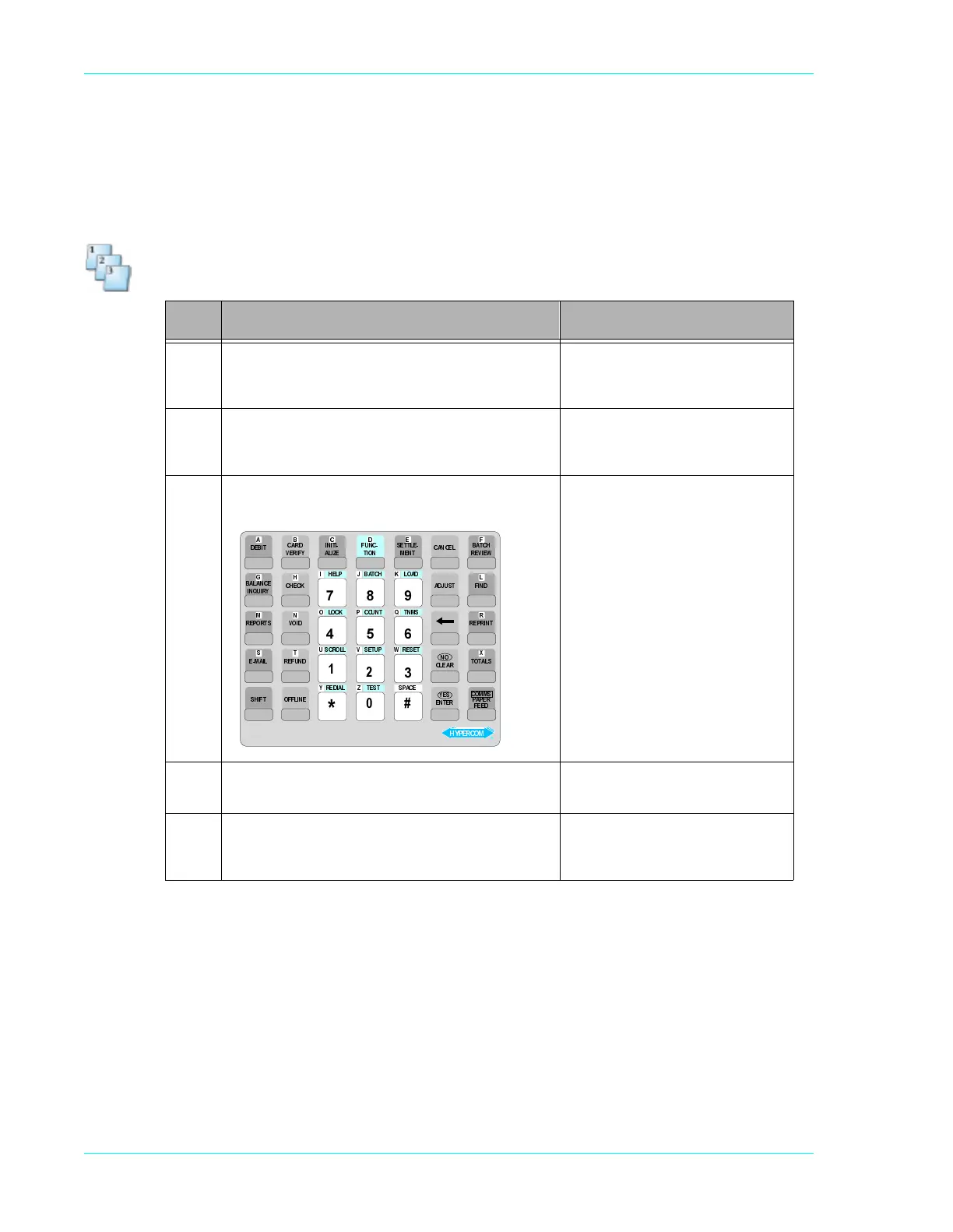
If the keyboard on the terminal is not working, perform a keyboard test to determine if all of the
keys are functioning properly.
Step-by-Step
Step Action Terminal display
1 Press the key sequence: Function 8, 4, Enter. The
terminal displays the column and row of the pressed
key. To exit, press Cancel twice.
.(<%2$5'7(67
&$1&(/7:,&(72(1'
2 Press any key and the terminal displays the location
of the key. For example, if you press the Debit key,
the terminal displays the following message.
&2/52:
&$1&(/7:,&(72(1'
Column Row
0 1 2 3 4 5 6
1
2
3
4
5
3 To test the alpha and paper feed key on a T7P, hold
down the Shift key and press the Paper Feed key.
&2/52:$
&$1&(/7:,&(72(1'
4 If the display does not match the location of the key,
send the terminal to Hypercom, via an RMA, for
additional testing and, if necessary, repairs.
/$,'(5 76(7
7(6(5387(6//25&6
60177182&.&2/
'$2/+&7$%3/(+
(&$36=<
;
:98
76
5
432
10
/
.-,
+*
)('&%$
7),+6
/,$0(
67523(5
<5,841,
(&1$/$%
7,%('
(1,/))2
'18)(5
.&(+&
<),5(9
'5$&
71(0
(/77(6
12,7
&18)
(=,/$
,7,1,
768-'$
/(&1$&
6/$727
71,53(5
'1,)
:(,9(5
+&7$%
5(71(
6(<
5$(/&
21
',29
'(()
5(3$3
&2006
02&5(3<+
Ê



 To Next Page