Cellular Hardware
940114-020 Hypercom Point-of-Sale 4-3
'SRRIGXMRKE'IPPYPEV*PMT4LSRI
Step-by-Step
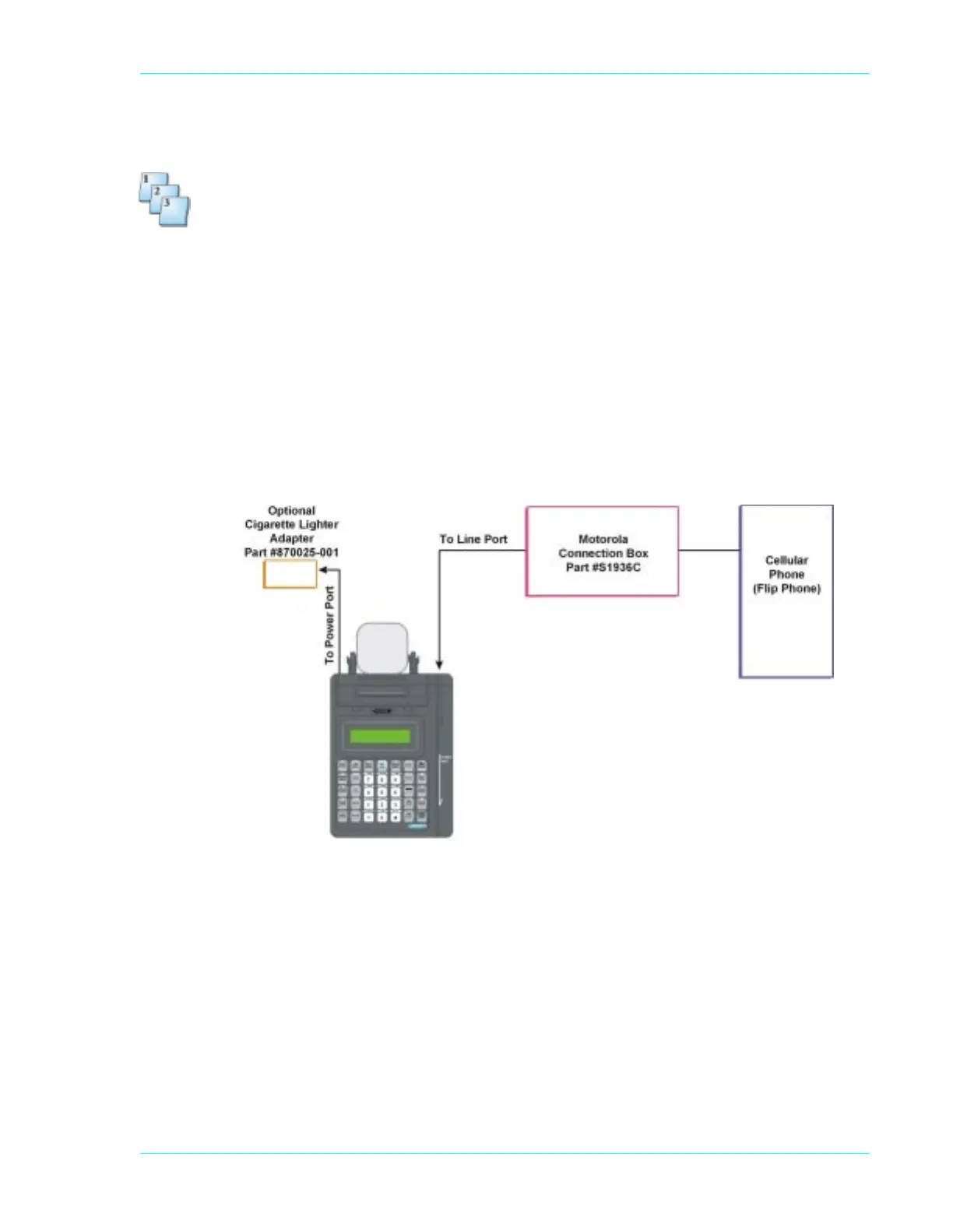
To connect a cellular flip phone:
1. Plug the cellular flip phone into the connection box.
2. Connect the connection box to the back of the terminal using the line port.
3. Power up the terminal by using the Hypercom AC power adapter that came with the terminal
or use the optional cigarette lighter, Hypercom Part #870025-001.
4. Go into the Boot level, press Function 99, 3 and change the Hook Delay setting to 00.
N
OTE: When you are not using the terminal with a cellular phone, you must change the Hook Delay
setting back to the Default 01 setting, for normal terminal dialing out operation.
Figure 4-2. Non-certified cellular flip phone configuration



 To Next Page