SECTION 3: PROGRAMMING BACK TO STOCK
OR CHANGING OPTIONS
You may return your vehicle’s computer back to stock
programming at any time after using your programmer. Follow
these steps to return your vehicle back to the stock tuning or
change your option settings.
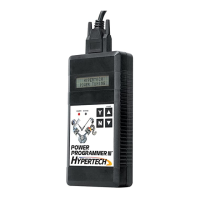
• Reconnect the programmer to the DLC. Next, turn the ignition
key to run but do not start the engine. Press the s arrow and
wait for the programmer to identify your vehicle just as before.
Since the programmer has programmed your vehicle’s computer,
this screen will appear:
• Then this screen will appear:
• Press ‘Y’ to return to the original factory program.
• Press ‘N’ to allow you to see the options in Section 2.
• If the ‘Y’ button is pressed, programming back to stock will
begin. These screens will appear:
• Turn the key off for thirty (30) seconds, press the ‘Y’ button,
and remove the cable as before. Your vehicle’s computer will
now be in a completely stock configuration.
18
HYPERTECH POWER
TUNING INSTALLED
PRESS Y TO RETURN VEHICLE TO FACTORY SETTINGS
PRESS N TO ACCESS POWER PROGRAMMER FEATURES
TURN KEY OFF
FOR 30 SECONDS
FACTORY PROGRAM
IS NOW INSTALLED
TO END, PRESS Y
AND UNPLUG CABLE
WRITING COMPUTER
XX%


 To Next Page