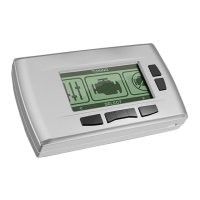
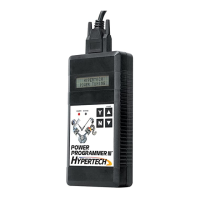
• The programmer will display a series of options. For each
option, press the ‘Y’ button to make a change. Press the ‘N’
button to make no change and proceed to the next option. For
some options, you will use the s and t arrows to point to a
particular option. Pressing the ‘Y’ button will then lock in your
selection. For example, use the s and t arrows to select your
top-speed limiter, then press the ‘Y’ button to lock in your choice.
A. ENGINE TUNING
• Press the ‘Y’ button to install engine tuning. Press ‘N’ to keep
the stock vehicle tuning.
B. REV LIMITER
• Press ‘N’ to keep the stock engine rev limiter. Making this
choice will skip to the next option.
• Press ‘Y’ to adjust the engine rev limiter to a value other than
stock. The stock rev limiter may vary depending on year and
engine size of the vehicle. Please refer to the owner’s manual
for the stock engine rev limiter.
• Press the s and t arrows to increase or decrease the engine
rev limiter. The rev limiter can be increased or decreased in
100 RPM increments. Press ‘Y’ to lock in the desired value.
NOTE: At any time, you may press ‘N’ to allow you to either
try again or skip to the next option.
8
PRESS Y TO INSTALL HYPERTECH POWER TUNING
PRESS N TO KEEP FACTORY ENGINE TUNING
PRESS Y TO ADJUST ENGINE REV LIMITER
PRESS N TO KEEP STOCK ENGINE REV LIMIT
USE UP/DOWN ARROWS TO ADJUST ENGINE REV LIMITER, THEN PRESS Y TO SELECT OR N TO EXIT.
_ _ _ _RPM


 To Next Page