Installation User Manual
22
4.4.1 Installation Parts
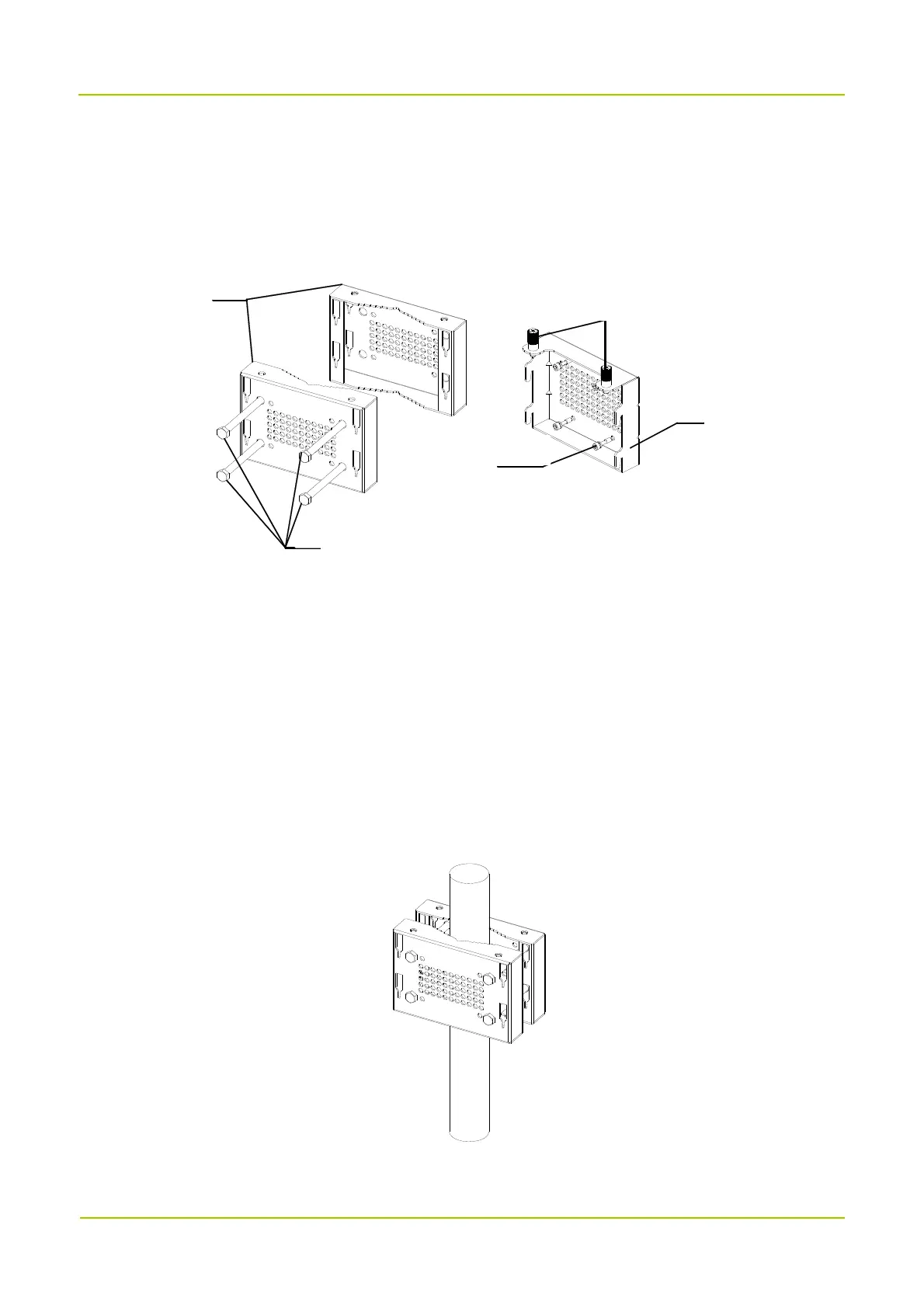
The following figure shows the parts needed for installation, including the auxiliary fixture, back panel,
latches and M6 screws.
4.4.2 Installing the Product
Installation on Pole
You can install the product at its back or at its left side. The pole diameter should be between 60 mm to 114
mm.
Installing at Back
1. Mark the installation position of the auxiliary fixture on the pole by using a marking pen.
2. Place the auxiliary fixture onto the pole, insert four bolts into the auxiliary fixture and then tighten four
nuts by using a torque wrench.
3. Secure the back panel onto the back of the product using four M6 screws.
Auxilia ryFixture
CaptiveScrew
BackPanel
M6Screw
Bolt



 To Next Page