4
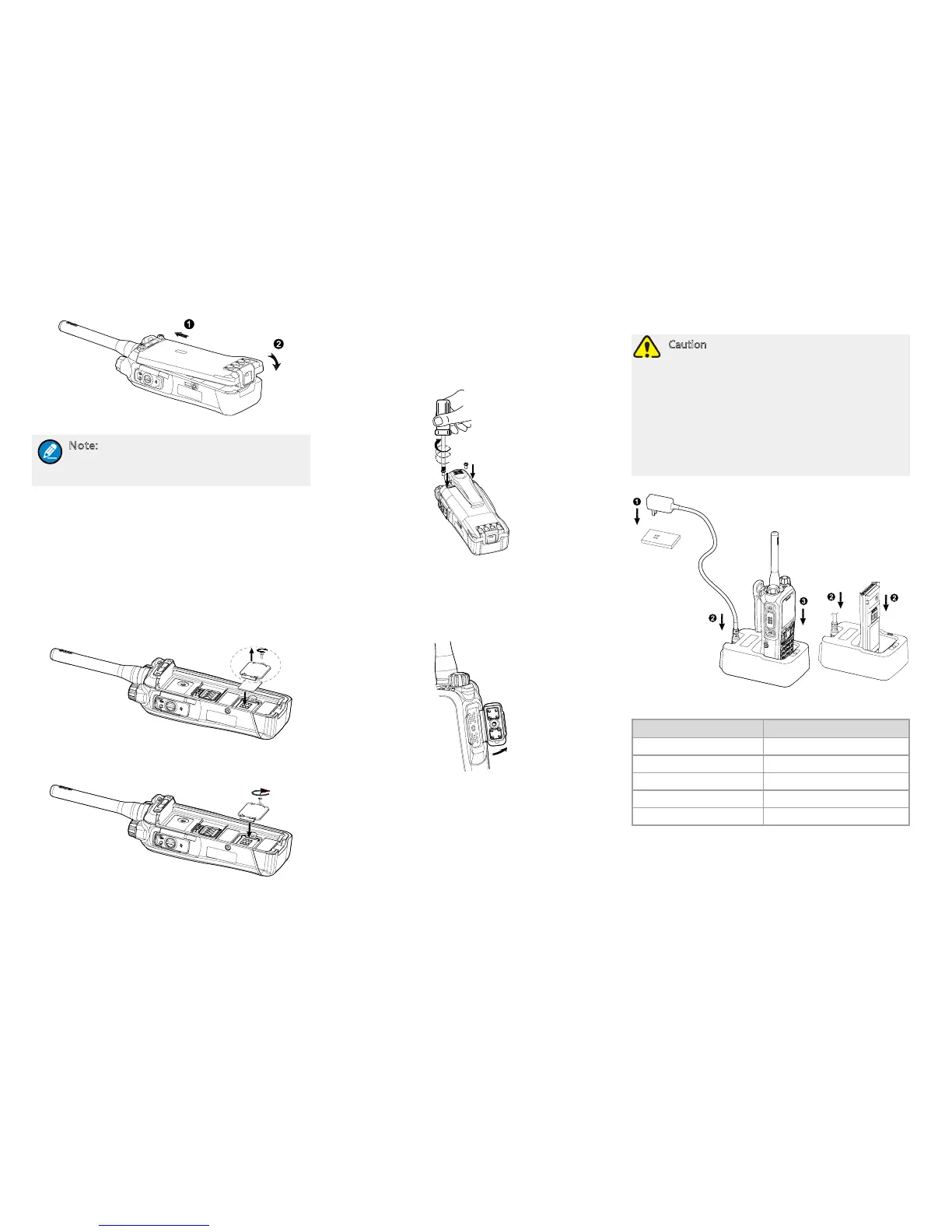
Attaching the Battery
Note: To remove the battery, turn off the
terminal first. Then lift the battery latch and
remove the battery.
Installing the SIM Card
If you have purchased the End-to-End Encryption
(E2EE) feature which is realized via a SIM card, please
buy a SIM card and install it rst.
1. Remove the battery.
2. Loosen the screw xing the SIM card cover, open the
cover, and then place the card into the slot properly,
as shown in the gure below.
3. Replace the cover and tighten the screw as shown in
the gure below.
Attaching the Belt Clip
1. Remove the two screws on the back of the terminal.
2. Align the screw holes on the belt clip with those on
the terminal, and then tighten the screws, as shown
in the gure below.
Attaching the Accessories
1. Loosen the screw on the accessory connector cover,
and open the cover as the arrow shows in the gure
below.
2. Align the accessory (such as audio accessory
and programming cable) plug with the accessory
connector.
3. Secure the screw of the accessory.
Charging the Battery
Caution
●
Use the charger specified by the Company
to charge the battery.
●
Make sure the terminal is powered
off before charging. Read the Safety
Information Booklet in advance to get
necessary safety information.
●
Charge a new battery for at least 5 hours
before initial use for best performance.
Charging status indication on charger:
LED Indication Charging Status
Flashes red slowly Standby (no load)
Glows red Charging
Glows orange 90% charged
Glows green Fully charged
Flashes red rapidly Charging failed



 To Next Page