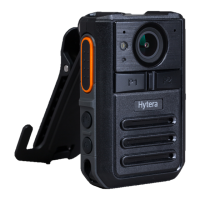
Tagged Recording: During audio recording, long press the
Photo Taking
key to tag the audio as key
evidence or untag the tagged audio.
6.3 Taking a Photo
In preview mode, press the
Photo Taking
key to take a photo.
6.4 Taking a Photo during Video Recording
During video recording, press the
Photo Taking
key to take a photo.
6.5 Flashlight
Long press the
Audio Recording
key to turn on the flashlight. Long press the
Audio Recording
key again
to turn off the flashlight.
6.6 Emergency Mode
Enabling emergency mode: In emergency situations, press the
Emergency
key to enable the
emergency mode. With a voice prompt of the emergency mode, the product starts key video recording,
and sends an emergency alarm message to the dispatcher to seek for help.


 To Next Page