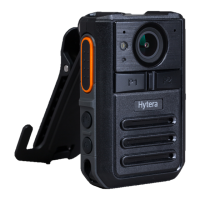
You can set the dispatcher number from the NM8000. Upon receiving the message, the dispatcher pulls
the video and starts a voice call with the product.
Disabling emergency mode: In emergency mode, long press the
Emergency
key to disable the
emergency mode. The product will stop key video recording.
6.7 Group Call
A group call is a one-to-many half-duplex voice call or one-way video call between a BWC and all members
in a group. During the group call, only one group member can talk in the same time, while other groups
members can only listen.
6.7.1 Answering a Group Call
You can answer a group call without making operations.
6.7.2 Initiating a Group Call
You can initiate a group call by either of the following methods:
In the
Recent
tab of the contacts, tap a group call number in the records and initiate a half-duplex
group voice call.
In the
Group
tab of the contacts, tap a group call number from the list and initiate a group call according
to the actual needs.
Press the
PTT
key to initiate a half-duplex group voice call to the standby group by default.
In the
Message
interface, tap a group call number in the records and then tap in the upper right
corner. Initiate a group call according to the actual needs.

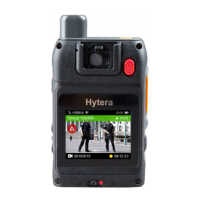

 To Next Page