10
6) Using the keyboard on the screen of the Pocket PC device,
enter a passkey of between 1 and 8 digits and then tap Next
7) Listen for the “beep” on the Virtual Keyboard, then, using the
keyboard projected by the Virtual Keyboard repeat the
passkey and press return [].
8) On the Pocket PC device tap the Finish button and select
Programs.
9) Tap the VKB program ( ).
NOTE: Ensure that the Enable Keyboard box is NOT checked.
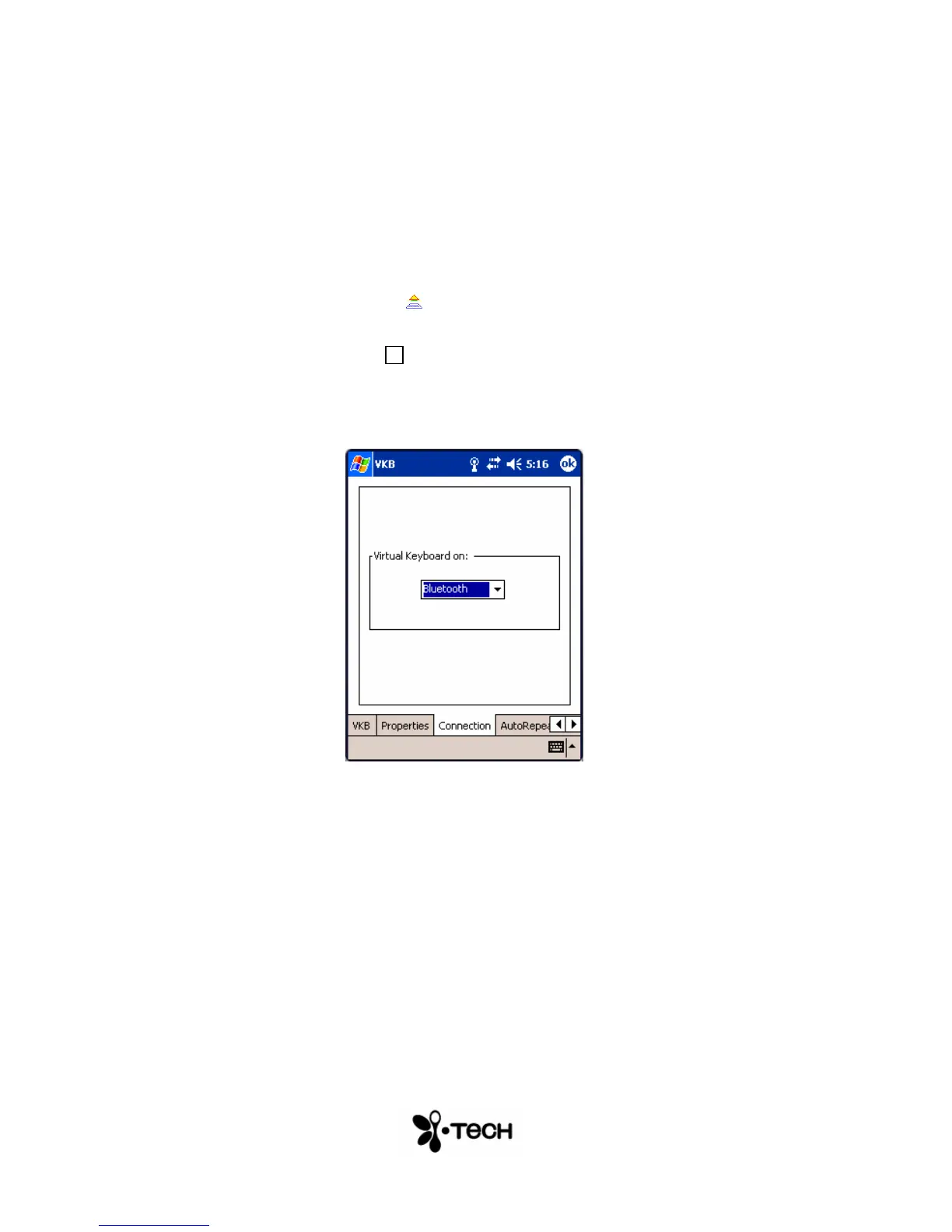
10) Tap the Connection tab and select Bluetooth from the drop
down box
Figure 2 – VKB Connection Menu
11) Tap the VKB tab and select Enable VKB


 To Next Page