4
Introduction
Congratulations on choosing the VKB Virtual Keyboard for Pocket PC. The
keyboard will allow the effortless composition of documents and e-mails and
will turn your PDA into a truly indispensable tool whether in the office or on
the go.
Please take a few minutes to review the simple operating instructions in
order to get the most out of your keyboard.
General Product Description
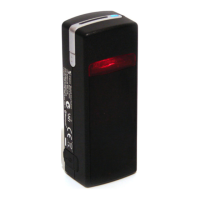
The Virtual Keyboard is a miniature, stand-alone accessory that emulates
the function of a standard, full-sized keyboard. The Virtual Keyboard can
connect via Bluetooth to almost any information appliance, including: PCs,
Tablet PCs, Laptops, PDAs and Smartphones, with the use of an
appropriate driver.
Laser Safety Precaution
The Virtual Keyboard device emits two laser beams. One beam (red) projects
the keyboard image, and the other beam (invisible) is used for sensing which
keys have been touched.
The radiation levels of both laser beams do not exceed the Accessible
Emission Limits of Class 1, as defined by the international standard IEC
60825-1 (A2) and the American standard 21 CFR 1040.10. The Virtual
Keyboard device is, therefore, a “Class 1 Laser product”.
This means that the Virtual Keyboard device is safe under reasonably
foreseeable conditions of operation.
Although the emitted laser beams are safe (in line with the standard quoted
above), it is highly recommended not to stare directly into laser beams.


 To Next Page