16
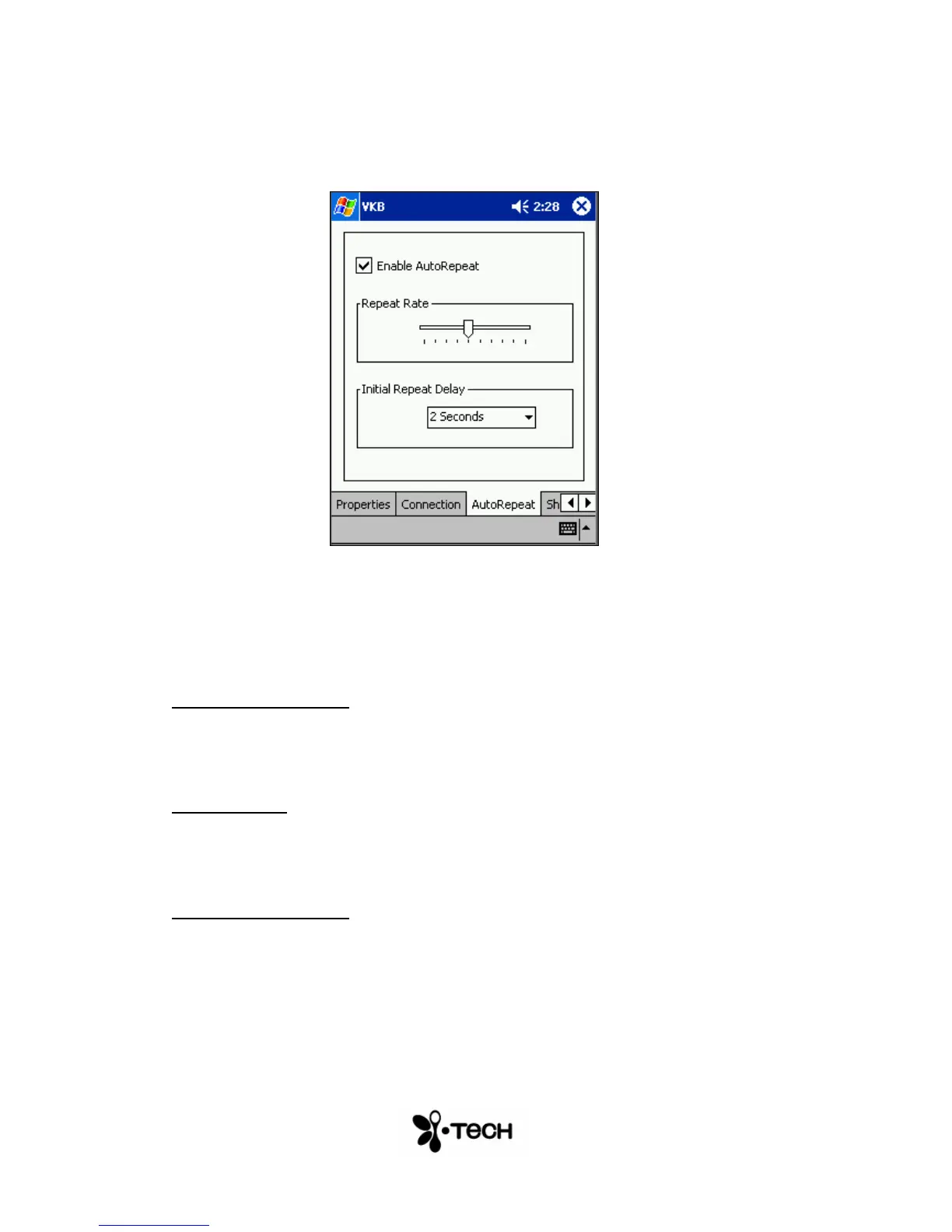
AutoRepeat Page
Figure 8 – AutoRepeat Menu
The AutoRepeat feature employed by the VKB Driver allows the system to
automatically repeat a key that is being pressed.
Enable AutoRepeat
Selecting the Enable AutoRepeat checkbox switches the AutoRepeat
function on and off.
Repeat Rate
The rate at which the key depression occurs is set using the Repeat Rate
slider.
Initial Repeat Delay
The period before the key press is repeated can be set between 1 and 4
seconds using Initial Repeat Delay drop down box.


 To Next Page