18
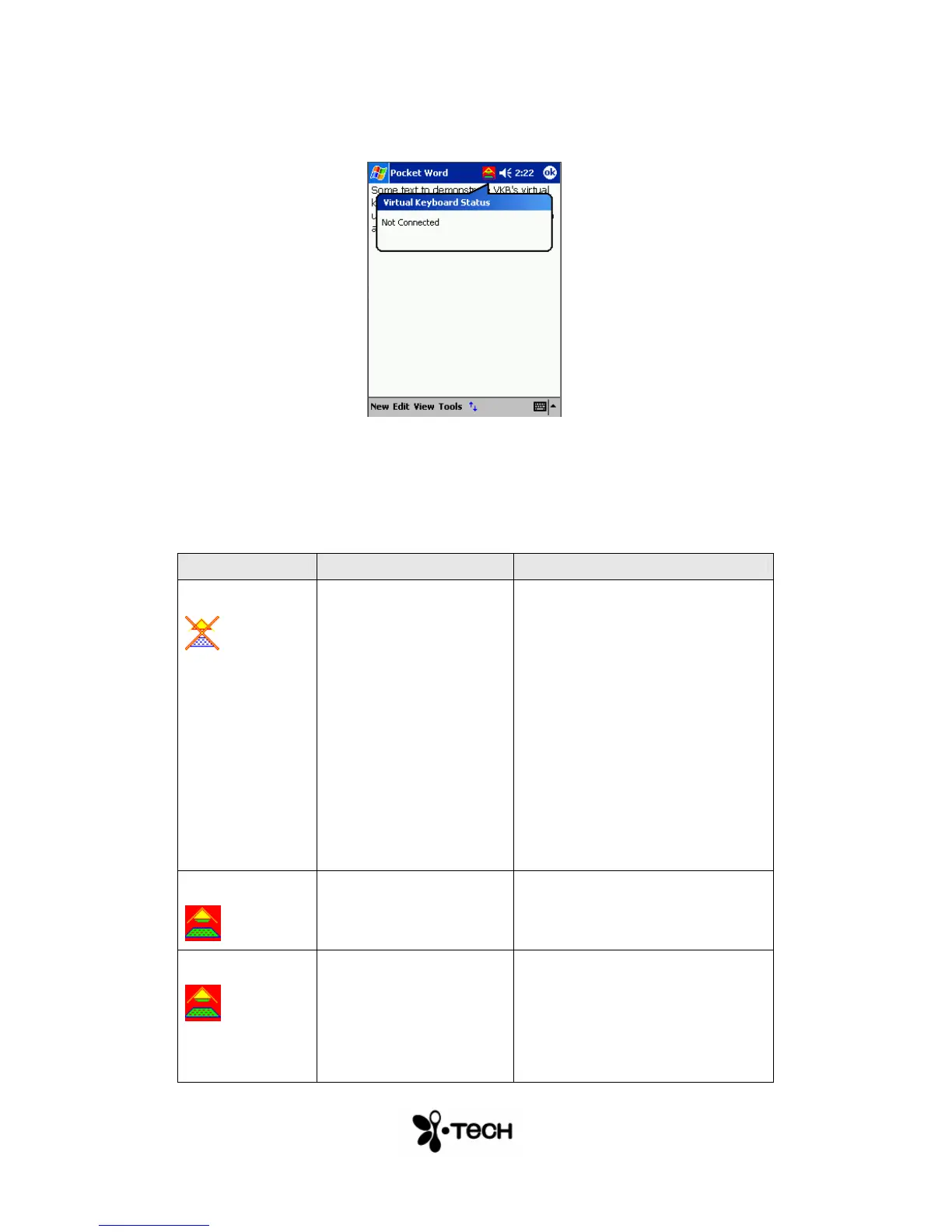
The Virtual Keyboard Status Icon
Figure 9 – The Virtual Keyboard Status Indicator Icon
When active, the VKB icon is displayed upon encountering one of the
following problems. Fix the problem and the icon will disappear.
Message Cause Action
Not Connected
The Virtual Keyboard
Driver can not
communicate with the
Virtual Keyboard
- Check that the Virtual
Keyboard is switched on.
- Check the Bluetooth pairing
procedure is performed
correctly.
- Check that Bluetooth has
been selected in the
Connections Page.
- Ensure the Bluetooth
connection is not being used by
another application.
Low Battery
The Virtual Keyboard’s
battery is low.
- Recharge the Virtual
Keyboard
Too Much Light
The area of the
projected keyboard is
exposed to sunshine or
some other source of
direct light.
- Move the Virtual Keyboard to
a more shaded area.


 To Next Page