Issue 1.11
35
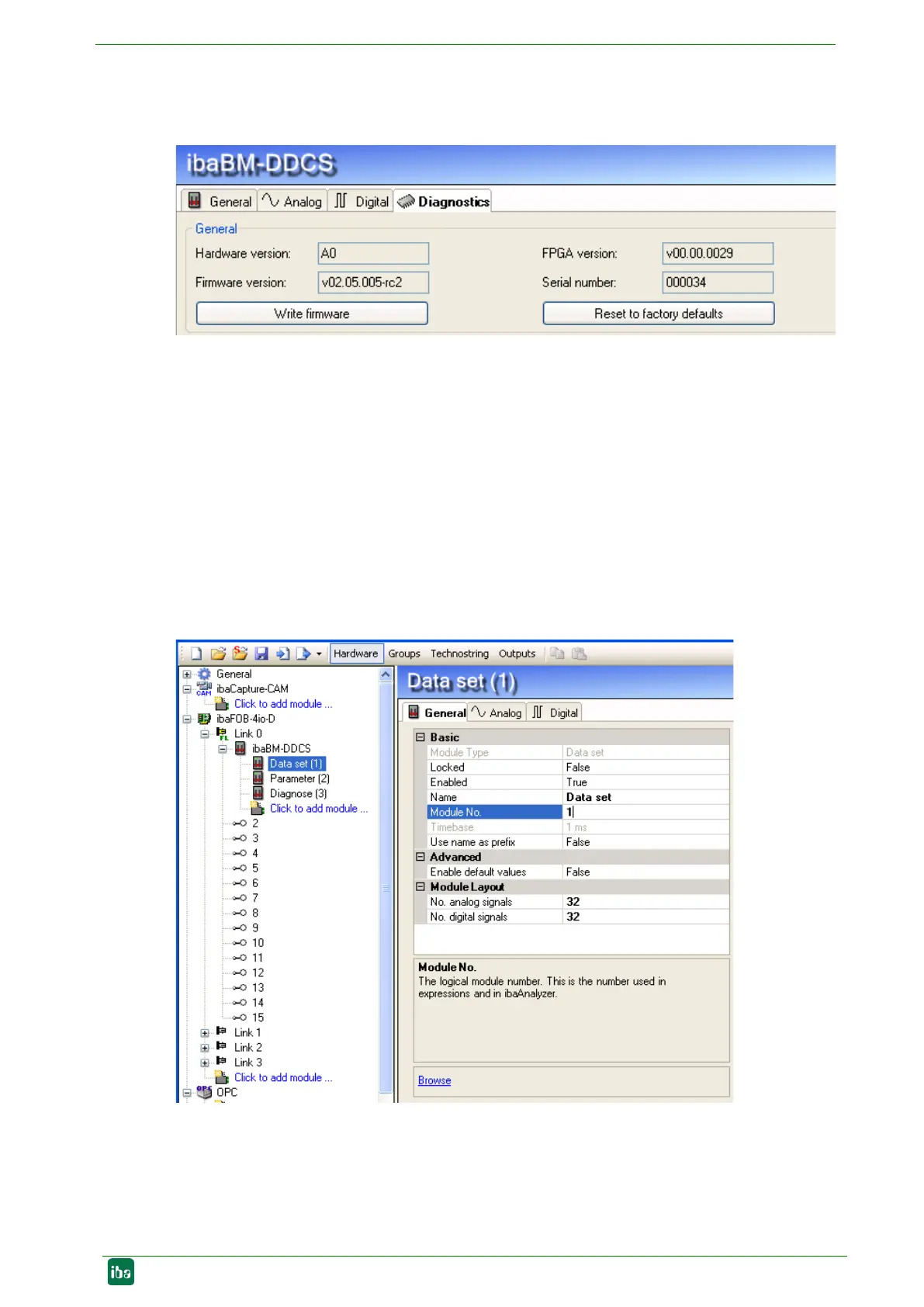
9.1.2 ibaBM-DDCS – Diagnostics tab
Here, you find information about the actual versions and the serial number of the device.
Figure 16: ibaBM-DDCS – Diagnostics tab
Write firmware
With this link, you can update the firmware. Select the update file
„bmddcs_vxxx.iba“ in the browser window and start the update with <OK>.
The procedure takes several minutes and must not be interrupted.
Reset to factory defaults
Please note that configurations stored in the device are deleted after a reset.
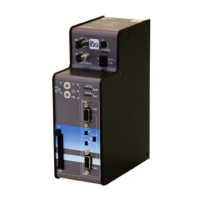
9.1.3 Module type „Data set“
Here you can see the basic settings for the module and select the data set signals.
Figure 17: Data set - General tab
Basic settings
Module type
Display of the module type, cannot be modified


 To Next Page