40
Issue 1.11
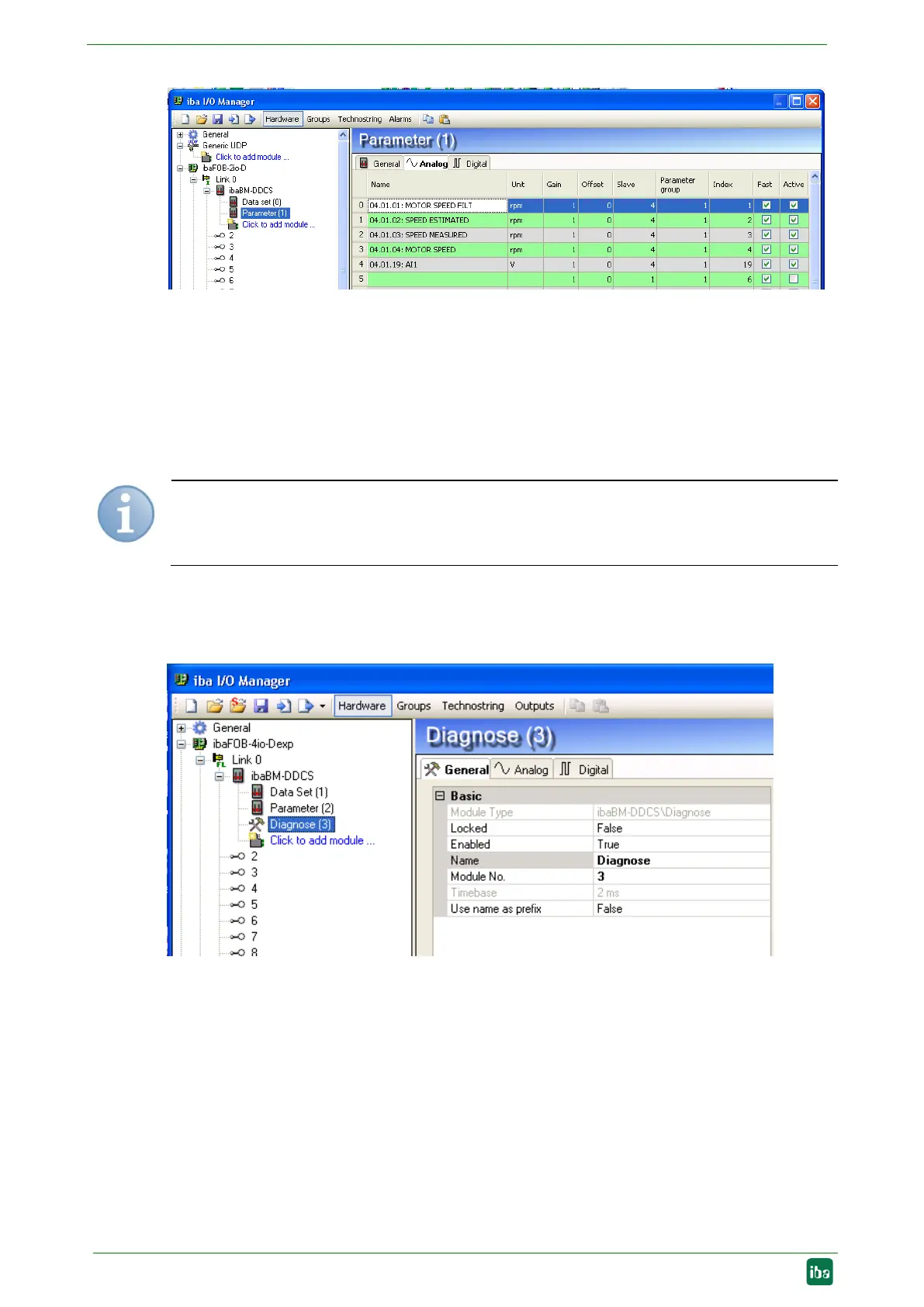
Figure 22: Overview of parameter signals
A fast sampling rate is enabled by default in the column “Fast”. For signal values which
change slowly, this setting can be manually disabled in order to reduce the load.
Complete control words, status words and fault words can be captured as analog value
and itemized by 32 bit-decoders in ibaPDA.
By clicking on the <OK> button, all the settings will be applied to the device and the
measurement will automatically start.
Note
Make sure, that a signal is not requested twice. In case of duplicate signals ibaPDA
displays the
an error message when starting the acquisition.
9.1.5 Module type „Diagnose“
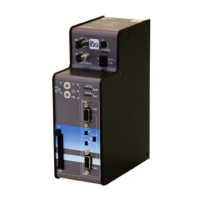
Here you can see the basic settings for the module:
Figure 23 : Diagnose – General tab
Basic settings
Module type
Display of the module type, cannot be modified
Locked
True: No changes possible. Only authorized users can unlock modules.
False: Any user can make changes
Enabled
True: Data acquisition is enabled for this module
False: Data acquisition is not enabled for this module


 To Next Page