IBERITAL DE RECAMBIOS, S.A.
lavage
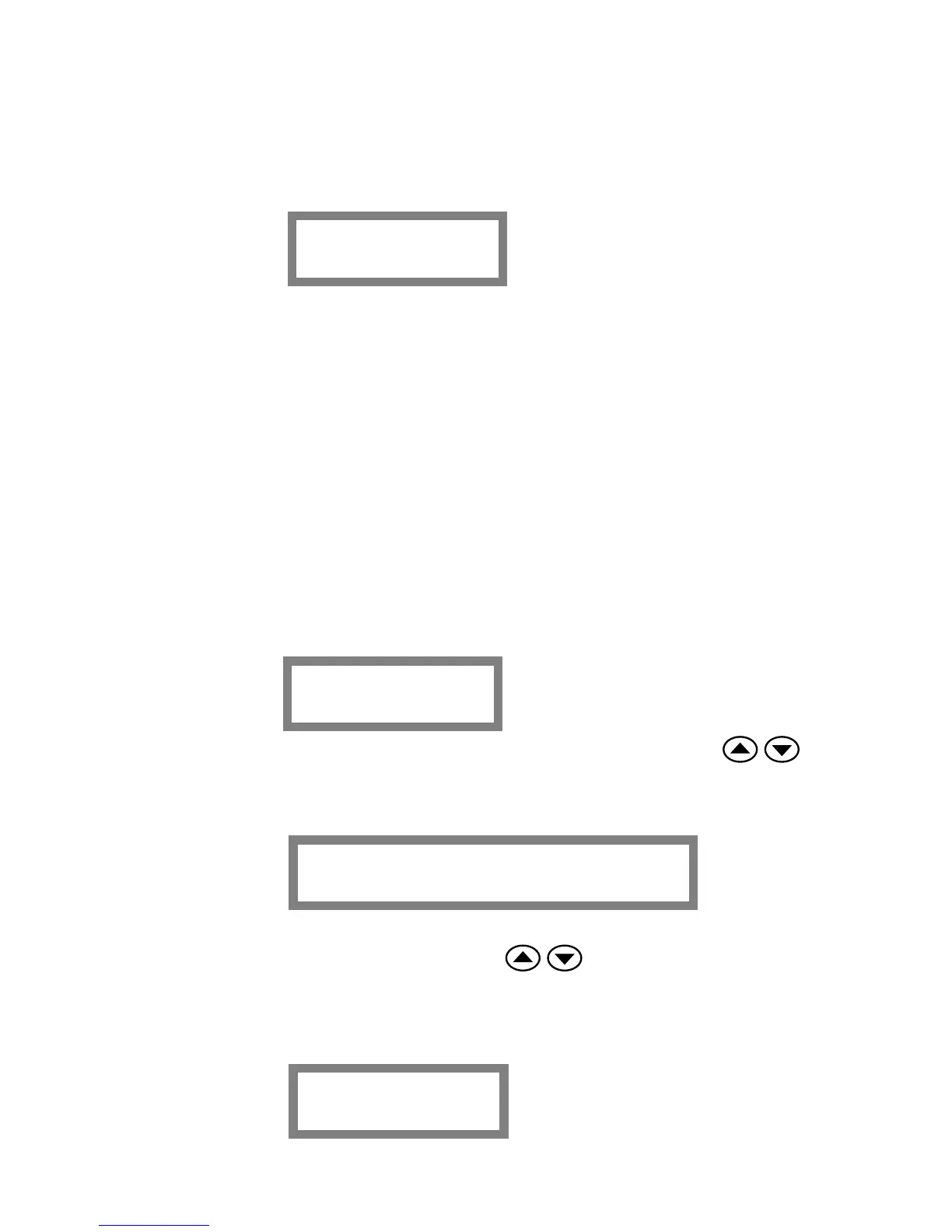
And the display will show:
Following the machine will proceed 7 times this cycle:
o 15 seconds brewing
o 2 seconds stand-by
At the end of the “WASHING CYCLE” the machine will come back to the beginning MENU.
The “WASHING CYCLE” can be done with all the groups at the same time.
1.8.2.- DISPLAY TECHNICAL’S MENU
REMEMBER: In order to enter in the TECHNICAL’S MENU, the display has to be in the OFF
position (the display will show “OFF”). If the display is in the ON position, press the I/O
(ON/OFF) button, to pass to the “OFF” position.
Language
xxxxxx
Temp / Time vis.
enable / disable
Once you are in position OFF, press the MENU button during 15 seconds and then you will
enter in the TECHNICAL’S MENU.
You can select the language (English, French, German, Spanish) pressing the
buttons. Once you have selected the language, press the MENU button and you will pass to the
following option:
The display will show the option: UPPER LINE OF THE DISPLAY WITH
TEMPERATURE AND TIME. Pushing the buttons, we will select DISABLE
or ENABLE this option.
Name 2
xxxxxx
In case “ENABLE” is selected, press the MENU button in order to pass to the following
option:
Página 15 de 30 MANUAL NEW IBERITALINGLES
11/05/2007


 To Next Page