EasyManua.ls Logo

IBM 5100 - Page 162

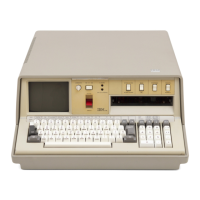
IBM 5100
228 pages
Print Icon
To Next Page IconTo Next Page
To Previous Page IconTo Previous Page
Loading...
Chapter
8.
Tape
and
Printer
Input
and
Output
158
Input
and
output
involving
the
tape
or
printer
can be
done
with an APL shared
variable, which
is
a specific variable shared between
the
active workspace
and
the
tape
or
printer. During
output
operations,
the
data assigned
to
the
shared variable
is
printed,
or
is
written
on
tape.
During
input
operations,
data
is
read
from
tape
and
assigned
to
the
shared variable;
the
shared variable can
then
be used in an ex-
pression
in
the
active workspace.
To
do
tape
or printer
input
or
output,
the
following steps
must
be performed:
1. Establish a variable
to
be shared.
2. Open a data file
on
tape
or specify printer
output.
3. Transfer
the
data.
4. Close
the
data
file
or
terminate
the
printer
output.
5. Retract
the
variable being shared.
ESTABLISHING A VARIABLE TO
BE
SHARED
The OSVO
function
is
used
to
establish
the
variable name(s)
to
be shared. The
OSVO function
is
dyadic (requires
two
arguments) and
is
entered
as
follows:
The left
argument
must
be a 1.
The right argument NAME(S) can be
up
to
eight variables
to
be shared.
If
more
than
one name
is
required,
the
names
must
be
entered
as
a character matrix with
each row representing a name. For example:
SHARE~3
3p'ONETWOTHR'
SHAI~E
ONE}
Tl,J()"
Each
row
represents a separate variable name.
THR

Table of Contents

Other manuals for IBM 5100

Related product manuals