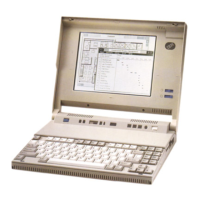
operational features.
+------------------------------------------------------------------------+
¦ Command ¦ Meaning ¦
+----------+-------------------------------------------------------------¦
¦ PS2 ¦ Displays the Set Features Menu. ¦
+----------+-------------------------------------------------------------¦
¦ PS2 XXXX ¦ Shows the command syntax if XXXX is invalid. ¦
+----------+-------------------------------------------------------------¦
¦ PS2 ? ¦ Displays all available commands in format. ¦
+----------+-------------------------------------------------------------¦
¦ PS2 H ¦ Displays all available commands in format. ¦
+----------+-------------------------------------------------------------¦
¦ PS2 SET ¦ Suppresses the speaker sound. This command is restored at ¦
¦ A OF ¦ the next system power up. ¦
+----------+-------------------------------------------------------------¦
¦ PS2 SET ¦ Maximizes power usage when using the AC Adapter. This ¦
¦ AUT P ¦ command is restored at the next system power up. ¦
+----------+-------------------------------------------------------------¦
¦ PS2 DISK ¦ Turns off the hard disk drive in 5 minutes. ¦
¦ 5 ¦ ¦
+----------+-------------------------------------------------------------¦
¦ PS2 DIS ¦ Sets the display mapping to monochrome to run an ¦
¦ M ¦ application that was developed for a monochrome display. ¦
+----------+-------------------------------------------------------------¦
¦ PS2 KC ¦ Suppresses the click sound of the keyboard. ¦
¦ OF ¦ ¦
+----------+-------------------------------------------------------------¦
¦ PS2 K S ¦ Sets the highest keyboard speed. ¦
¦ F ¦ ¦
+----------+-------------------------------------------------------------¦
¦ PS2 LC 1 ¦ Turns off the LCD display in 1 minute. ¦
+----------+-------------------------------------------------------------¦
¦ PS2 CRT ¦ Disables the LCD display to enable an external CRT display ¦
¦ ¦ if it has been attached since the power-on. ¦
+----------+-------------------------------------------------------------¦
¦ PS2 SET ¦ Sets the battery-low alarm to off. This command is ¦
¦ LO OF ¦ restored at the next system power up. ¦
+----------+-------------------------------------------------------------¦
¦ PS2 SET ¦ Sets the highest processing speed. This command is ¦
¦ MA 20 ¦ restored at the next system power up. ¦
+----------+-------------------------------------------------------------¦
¦ PS2 M O ¦ Enables the Internal Data/Fax Modem. ¦
+----------+-------------------------------------------------------------¦
¦ PS2 N ¦ Changes the LCD display image to normal video. ¦
+----------+-------------------------------------------------------------¦
¦ PS2 OF ¦ Enters suspend mode immediately. ¦
+----------+-------------------------------------------------------------¦
¦ PS2 ON ¦ Returns to resume mode at 23:59:01. ¦
¦ 23:59:01 ¦ ¦
+----------+-------------------------------------------------------------¦
¦ PS2 SET ¦ Enables the parallel connector. This command is restored ¦
¦ P ON ¦ at the next system power up. ¦
+----------+-------------------------------------------------------------¦
¦ PS2 PO 3 ¦ Turns off the computer in 3 minutes. ¦
+----------+-------------------------------------------------------------¦
¦ PS2 R ¦ Changes the LCD display image to reverse video. ¦
+----------+-------------------------------------------------------------¦
¦ PS2 SER ¦ Turns on the onboard serial power. ¦
¦ O ¦ ¦
+----------+-------------------------------------------------------------¦
¦ PS2 SER ¦ Enables the Serial Adapter. ¦
¦ A O ¦ ¦
+------------------------------------------------------------------------+
PS/2 Model L40 SX Quick Reference
Format
¦ Copyright IBM Corp. 1991
3.8.4.3 - 2


 To Next Page
 Loading...