13
Instruction Manual C100-AE
3.4 Programming menu
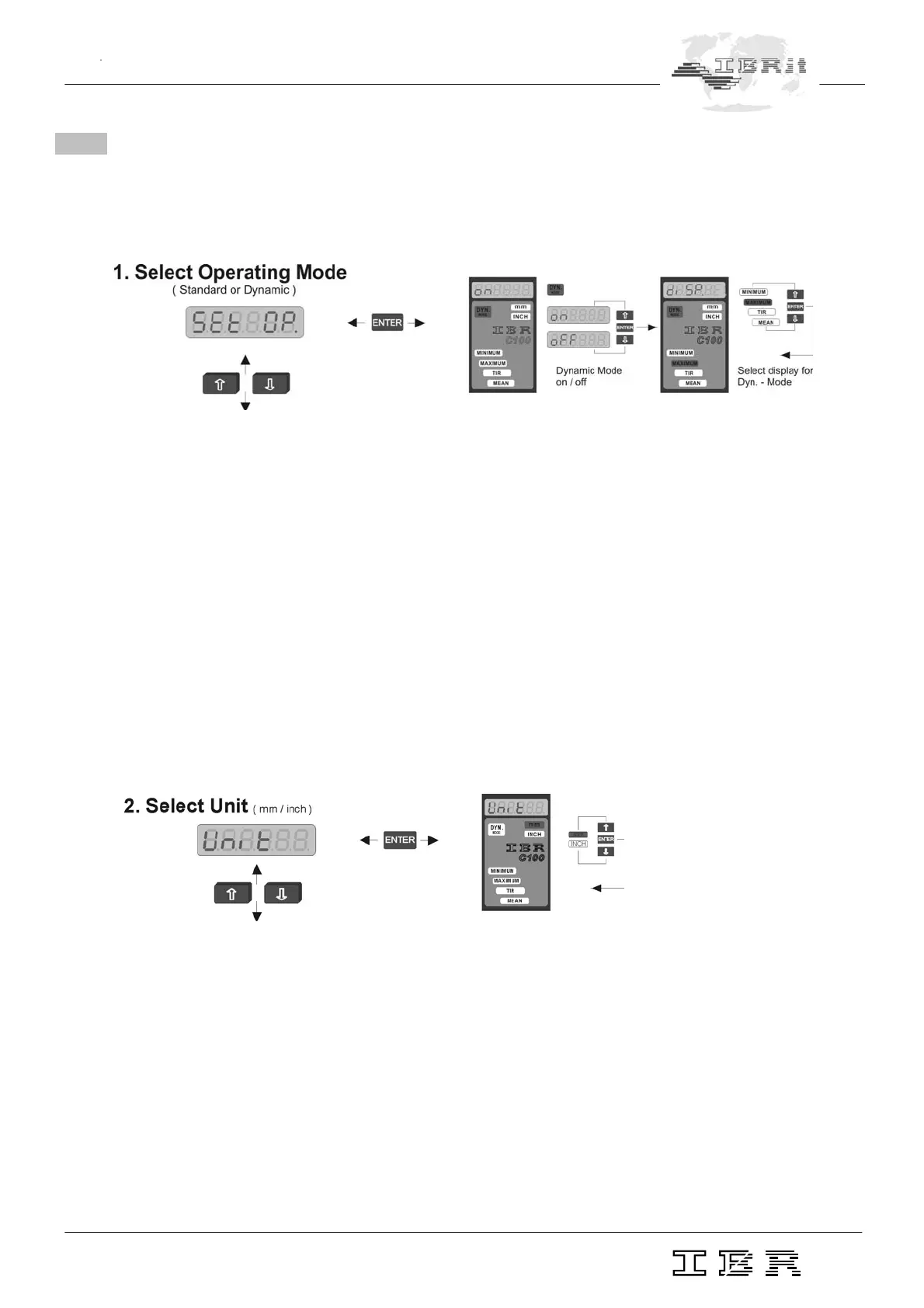
Press the PRG/CAL key to switch from Measurement to Programming mode.
'SEt OP.' flashes on the numeric display.
The programming of the column gauge starts with the selection of the measuring mode.
Standard-Measuring mode ( static measurements )
Dyn. Measuring mode ( dynamic measurements )
Press the ENTER key to confirm 'SEt OP.'. The lamp DYN. Mode ( for measuring mode ) lights up and on
or oFF flashes on the numeric display.
Use the Ï and Ð keys to enable ( on ) or disable ( oFF ) the Dynamic mode and confirm your choice with
ENTER key. If the Dynamic measuring mode is chosen, 'diSP' will appear on the numeric display and one
of the display options will be flashing at the same time.
MINIMUM
MAXIMUM
TIR = MAX - MIN
MEAN = ( MAX + MIN )/2
Use the Ï and Ð keys to select the option and confirm your choice with the ENTER key.
'SEt OP' restarts flashing. Press the Ð key to advance to the next menu and select the unit.
After pressing the ENTER key ( confirm flashing "Unit" ) in the 2nd menu you can select either „mm“ or
„INCH" by pressing the Ï or Ð key. Confirm with the ENTER key.
Press the Ð key to advance to the next menu.
Notice : a) If you change the unit, numeric values introduced in the programme, eg. master values,
nominal size values and tolerances do not change automatically.
b) Further units on request.


 To Next Page