26
Instruction Manual C100-AE
CTS
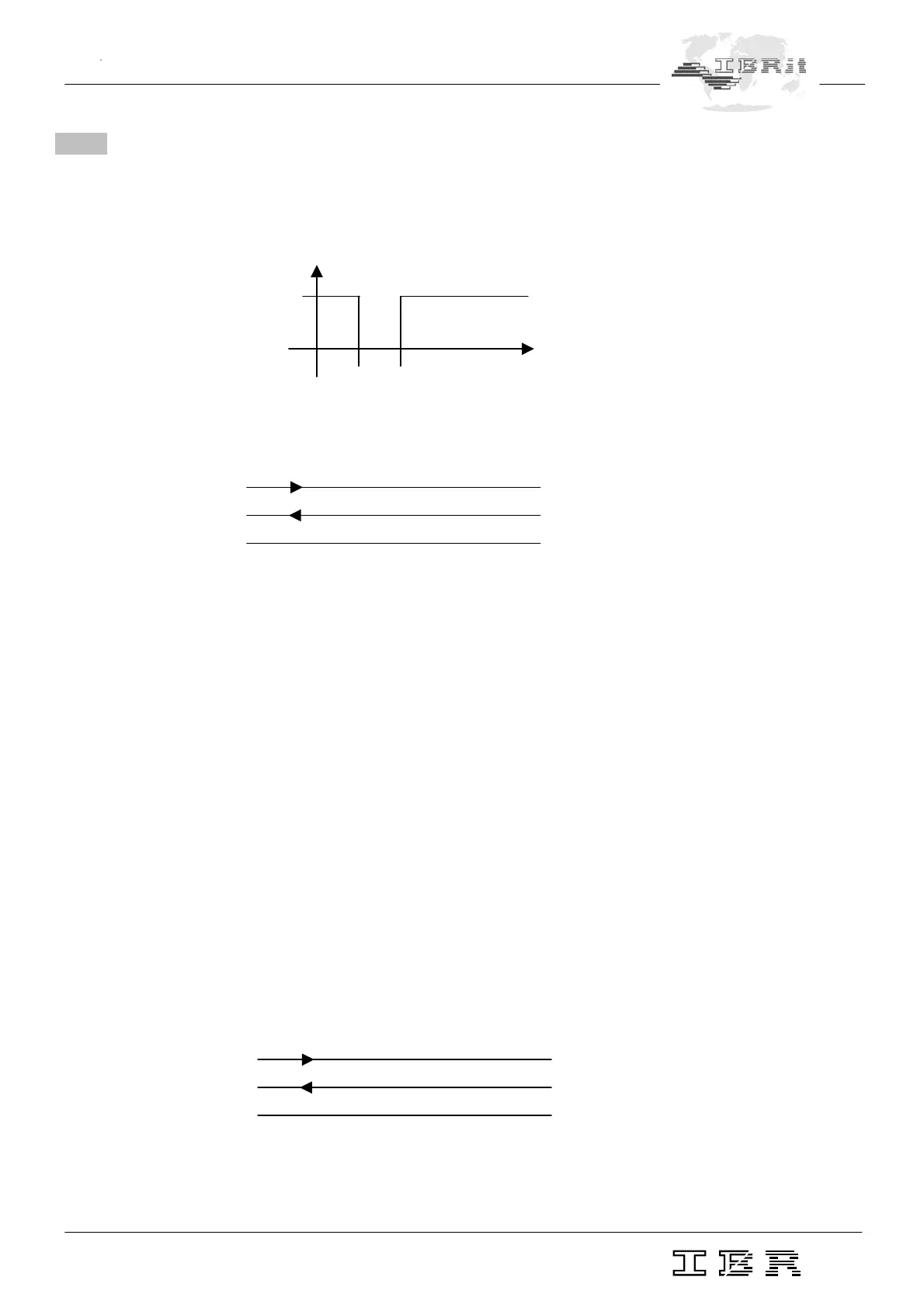
100 msec
Time
Column gauge : RS232 External device
TxD □ □ RxD
CTS □ □ DTR
Gnd □ □ Gnd
3
8
5
2
3
5
7.3 Requesting measured values
The column gauge supports both data request variants of the Opto RS232 interface.
1. Data request via handshake lines ( unidirectional Opto RS 232 )
Impulse diagram :
Connection wirings
Example : PC Programme ( DOS, BASIC )
100 REM DATA REQUEST WITH DTR-LINE
110 OPEN "COM1,4800,E,7,2" FOR RANDOM AS #1 ... open COM device
120 OUT &H03FC,&H000A ... reset DTR line
( COM1=3FC / COM2=2FC /
COM3=3EC / COM4=2EC )
130 DELAY 0.1 ... 100 msec wait time
140 OUT &H03FC,&H000B ... set DTR line
150 INPUT #1,A$ ... input measurement value
160 PRINT A$ ... display measurement value
170 CLOSE #1 ... close COM device
180 END
2. Data request by Request String "?" <cr> ( Bi-directional Opto RS232 )
The external device ( PC, statistic printer, multiplexer... ) sends a "?" <cr> to the column gauge
to request data.
Column gauge : RS232 External gauge
RxD □ □ TxD
TxD □ □ RxD
Gnd □ □ Gnd


 To Next Page