17
Instruction Manual C100-AE
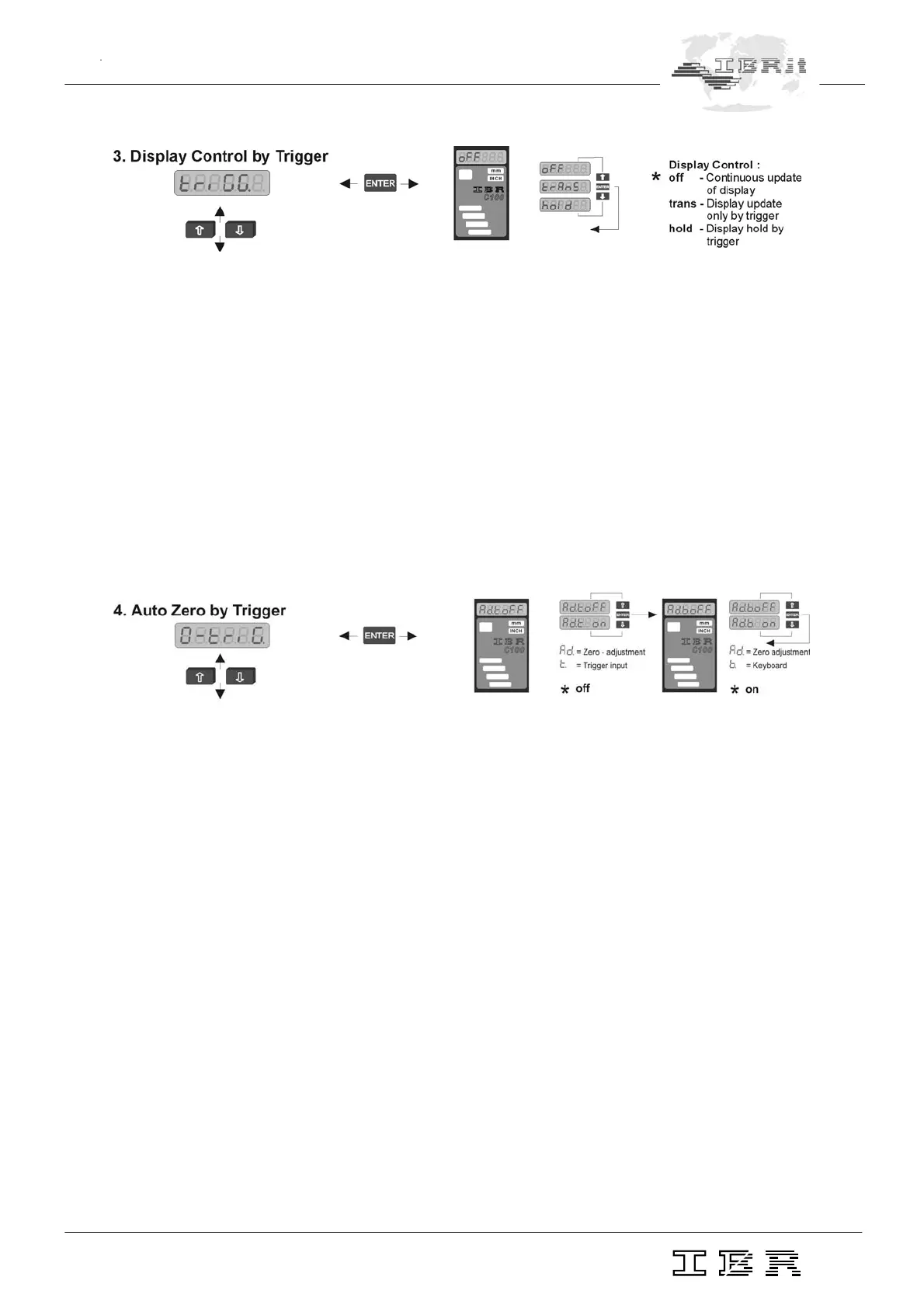
triGG. In this menu you can choose the control of numeric and column displays via the foot switch.
oFF - Continuous display update with measured values.
The foot switch does not effect the display output.
trAnS - By pressing the foot switch you start a measurement cycle with transfer of the result
to the displays.
hold - When the foot switch is pressed the display output is on hold ( display is frozen ).
Notice : If the measuring modes "Dyn. measurement" or "Manual gauge selection" are
enabled, the functions "trAnS" and "hold" are no longer available because the foot
switch is needed to start/stop dynamic measurements or for gauge switching.
Error messages 'Err. 3' appears on the numeric display.
0-triG. Enable or disable Automatic Zero Adjustment or Gauge Calibration with the Ï and Ð keys or
with foot switch.
Adt. oFF / on Zero Adjustment / Gauge Calibration by foot switch
oFF - Disable
on - Enable
Adb. oFF /on Zero Adjustment / Gauge Calibration by the keyboard ( Ï and Ð simultaneously )
oFF - Disable
on - Enable
Notice : If the measuring modes "Dyn. measurement" or "Manual gauge selection" are
enabled, the function "0-triG" is no longer available, because the foot switch is
needed to Start/Stop dynamic measurement or gauge switching.
The error message 'Err. 2' appears on the numeric display.


 To Next Page