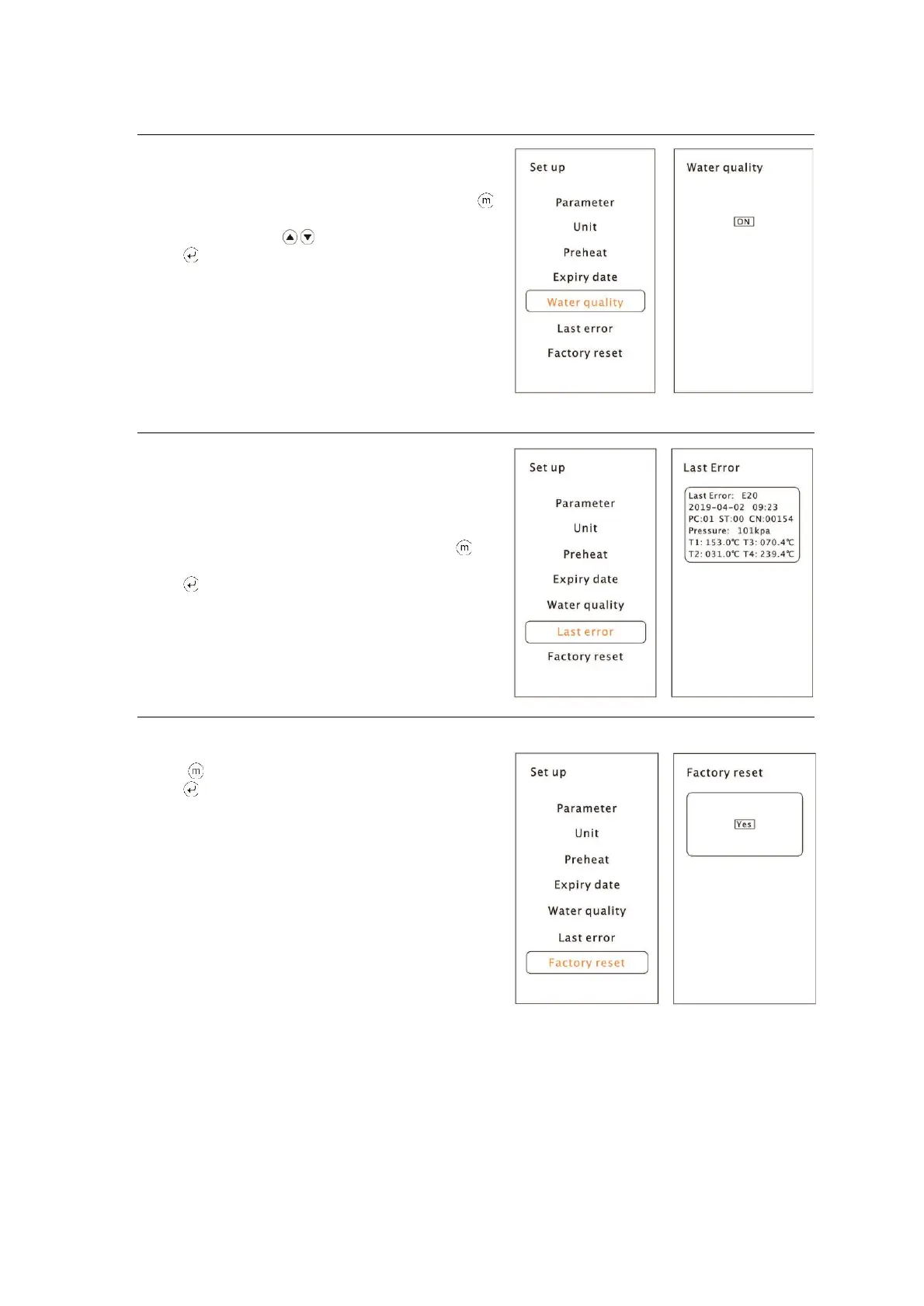
Water quality (optional)
If your sterilizer is equipped with a water
quality sensor and you want to deactivate it ,
select “Water quality” from the menu by pressing
button.
Adjust it by pressing .
Press button to save and back.
Last Error
In order to help the technical assistance
process, the most relevant information
corresponding to the last error can be
displayed on the screen.
Select “Last error” from the menu by pressing
button.
Press button to back.
Factory reset
Select “Factory reset”
Press “Yes” to reset all settings
Press button to back.
5 Operation


 To Next Page