Load
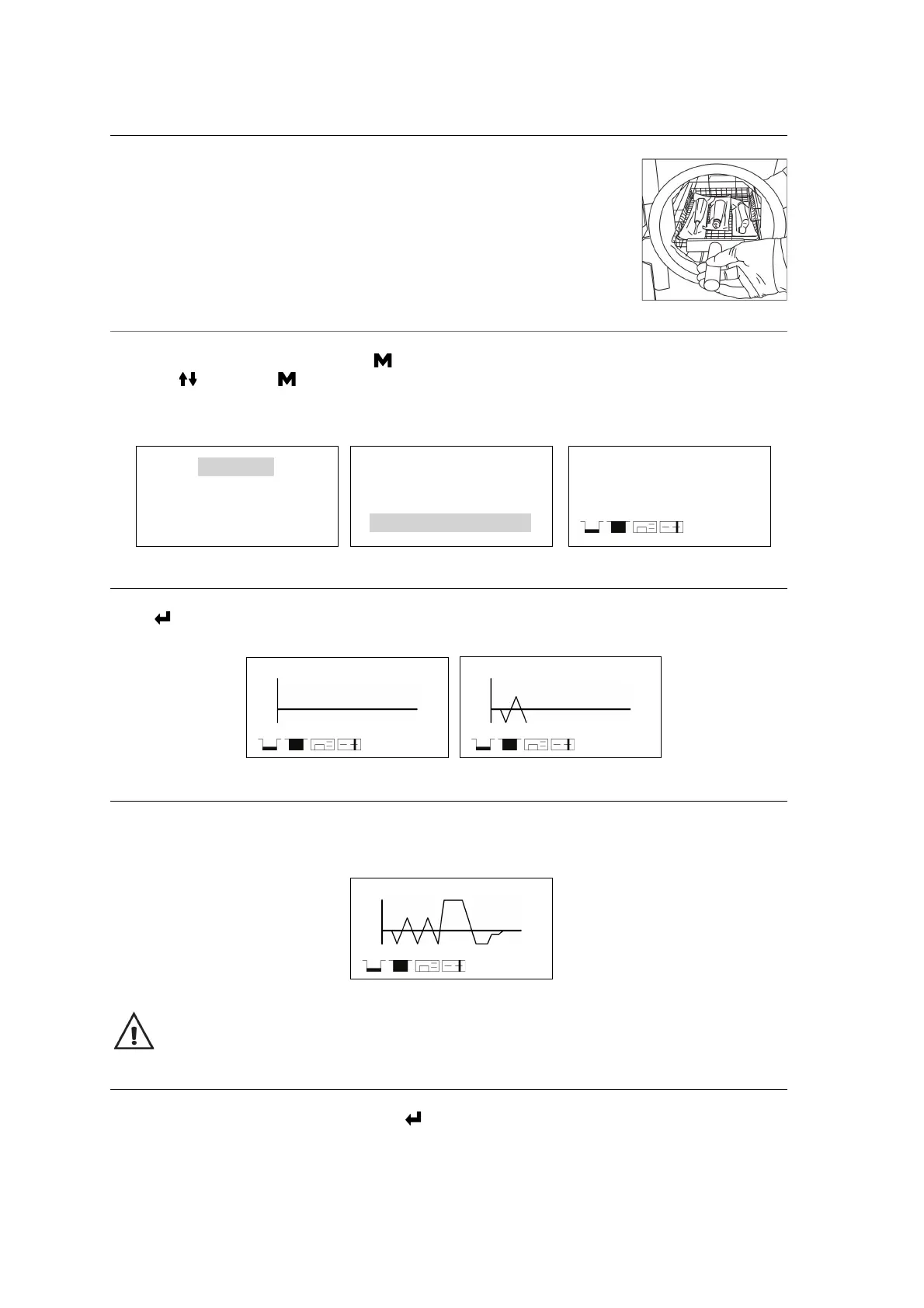
Open the door then placed the trays inside the chamber by the tray handle.
After the instruments are loaded, you may close the door.
Select the program
Enter to the main menu by pressing button, Select “Program”. Select the program by
pressing then press to confirm program, in the screen will appear the information of
selected program as the temperature and sterilization time (holding time), also the date, time,
current pressure and current temperature.
Start the sterilization program
Press to start the cycle. The stage, conditions and the status of the cycle will appear on the
display. The sterilizers will perform the program automatically. (see appendix 2).
End of the cycle
Once the cycle is completed, “End” will appear at the end of the graphic, the printer will print out and the
digital report saved in the USB memory is these are connected.
Caution: Always use the tray handle to load or unload the tray into the sterilizer. Failure to do
so can result in burning.
Manually interruption of the cycle
To interrupt a started cycle prematurely, hold for 3 seconds.
If the cycle is manually interrupted after it reaches the drying phase, the items inside the sterilizer may be
considered sterile and considering that the cycle has been interrupted during the drying phase the
materials and instruments inside the chamber may be wet.
Program
Basic Set
Report
Label
Solid (121°C)
Solid (134°C)
Wrapped (121°C)
Wrapped (134°C)
Wrapped
134°C/3.5 Min
16- 07- 2019
P: 0.0kPa T:28.2°C
10:45:05
134°C Wrapped
P: 0.0kPa T:28.2°C
00:00:05
134°C Wrapped
P: - 0.2 kPa T:87.2°C
00:00:17
134°C Wrapped END
P: - 0.2 kPa T:87.2°C
00:00:17


 To Next Page