5
Game Setup
Access to the Program Settings:
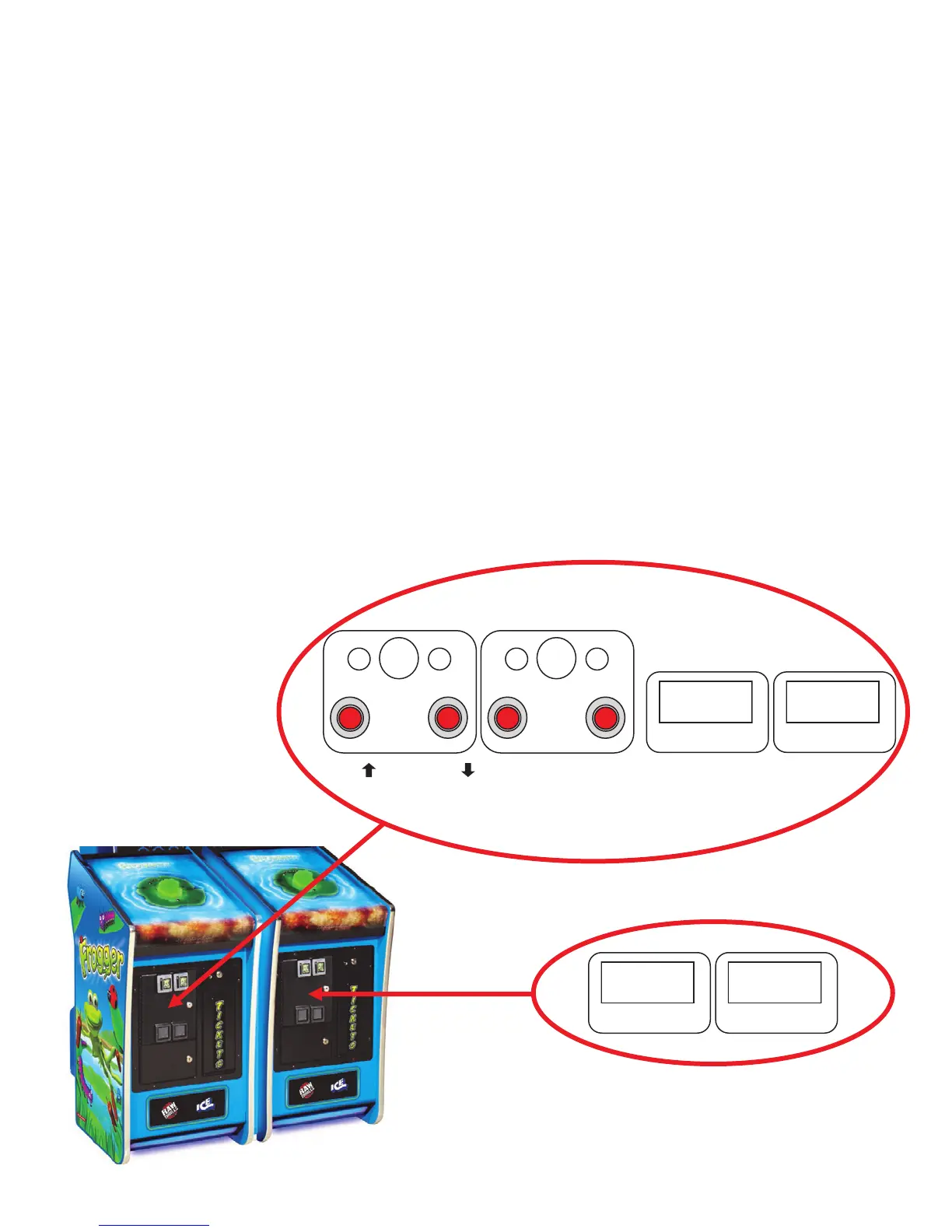
Located in the upper coin door are the programming buttons. To access the program settings press
“test” button. Press the VOL with the arrow up button to move the cursor up and press the VOL with
the arrow down button to move the cursor down. To select a option press the “test” button again.
Access to the Meters:
Located in both of the upper coin doors are the coin and ticket meters. There is a set of meters in
both. The left most meter is how many coins the game has validated on that side while the right me-
ter shows how many tickets the game has paid out on that side.
Adjusting the Volume Levels:
Located in the right upper coin door are the volume controls for the game. Pressing the left most
button will increase the total volume level while pressing the next button to the right will decrease the
total volume level. To adjust just the attract volume you need to enter the programming mode and
adjust the attract volume from there. You can control the game and attract volumes separately only
from the program mode.
000000
COIN
000000
TICKETS
VOL VOL SERVICE TEST
000000
COIN
000000
TICKETS



 To Next Page