9
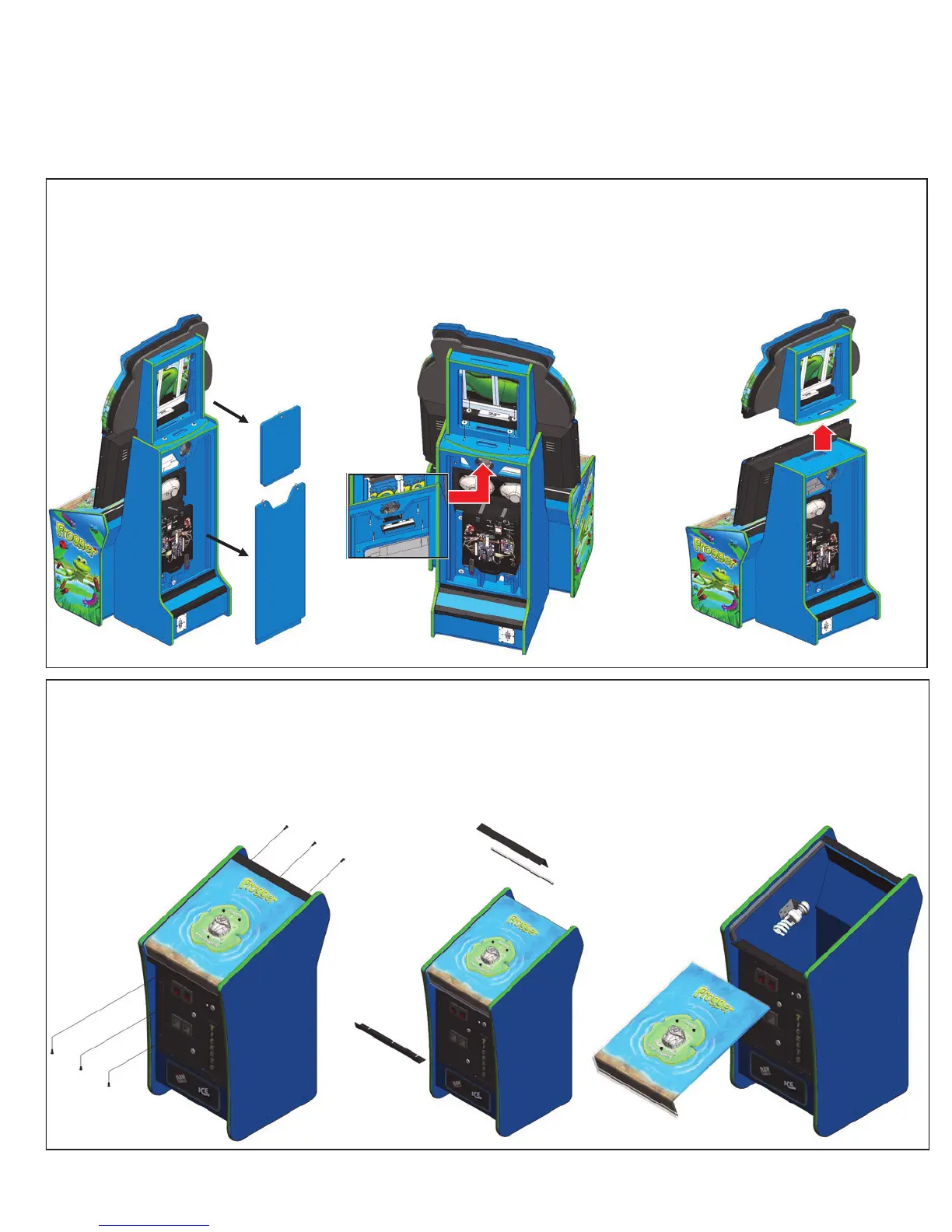
Marquee Removal
Remove both the upper and lower back doors and put aside. Unplug the 6 pin, 4 pin and A/C har-
nesses located in the upper section of the cabinet. Remove the four mounting bolt, washers and
nuts. The top assembly can be removed as shown below.
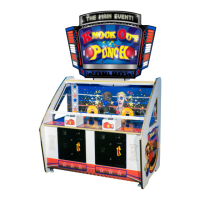
Control Panel Removal
The control panel is attach to the podium by six 5/32 Allen security mounting bolts. Remove the six
mounting bolts and put aside. Now remove the upper and lower brackets and put aside. Slide the control
panel back and out. Make sure you disconnect the A/C and switch harness to the control panel before
fully removing.
Game Maintenance


 To Next Page