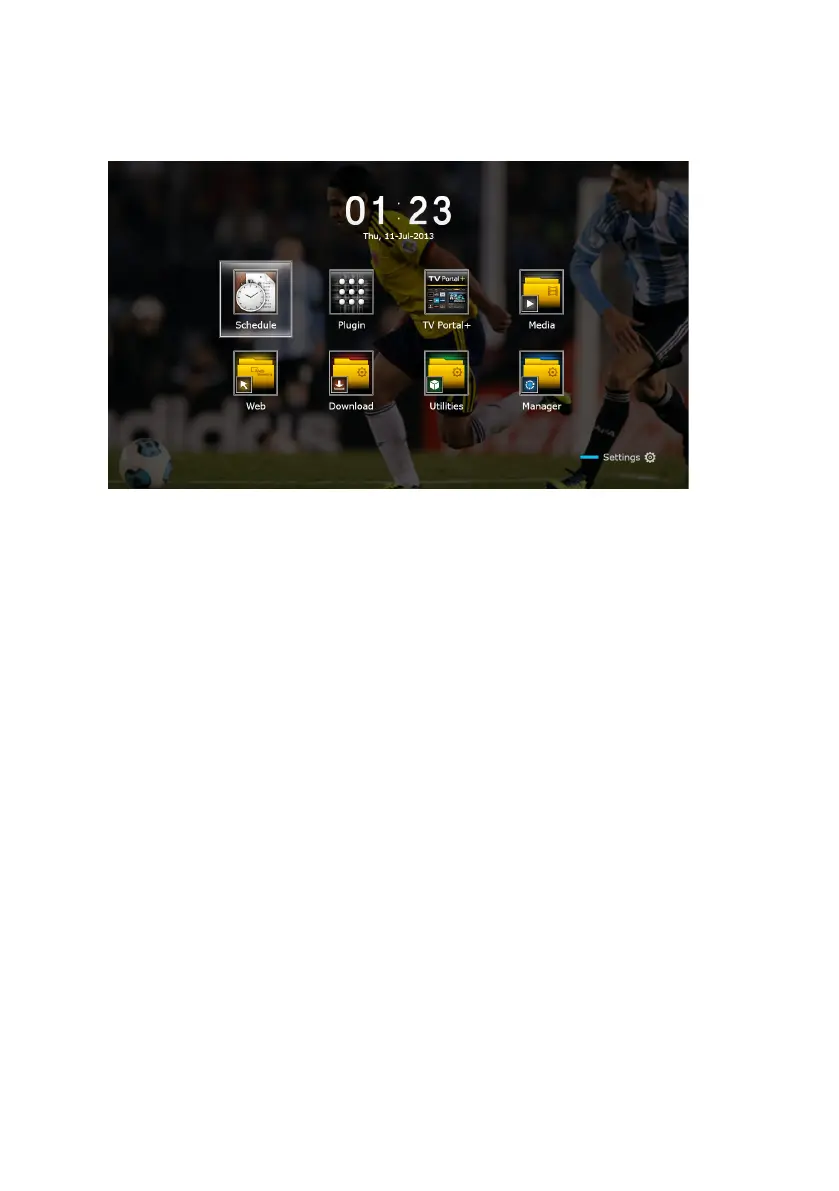
1.5 The Apps Screen
Press the MENU button to open the apps screen. The apps screen displays vari-
ous app icons in multiple folders, as follows:
• CAS: See Watching Pay Channels on page 34.
• Data Transfer: See Sharing Channel Data on page 61.
• Media Server: See Allowing Other Devices to Access the Receiver on page
48.
• Remote Play+: See Playing Media files from Other Devices on page 47.
• Schedule: See Manually Scheduling TV Recordings on page 40.
• Software: See Online Update on page 62.
• Storage Manager: See Managing Storage Devices on page 43.
• System: See Updating the Digital TV Receiver on page 62.
• USB Storage: See Updating the Digital TV Receiver on page 62.
For other apps, see Apps on page 49.
12 Introduction



 To Next Page