2.2 Hard Drive Installation
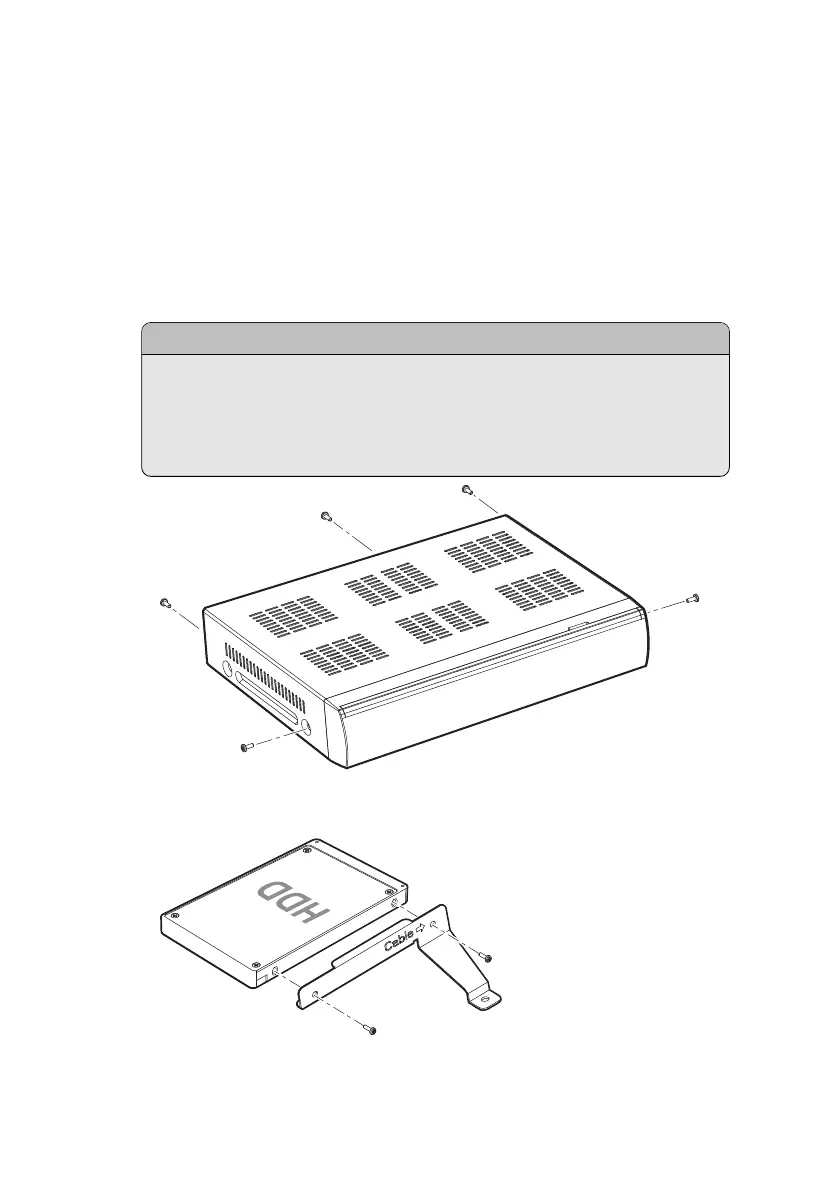
If the receiver has no hard drive installed, install a hard drive on the receiver for
its best performance by taking the following steps:
1. Turn off the receiver and disconnect it from the power source.
2. Unfasten the screws at the rear and both sides of the receiver to remove the
cover.
..
Note
.
Opening the receiver casing for any other purposes than installing a hard
drive voids the warranty. This condition may vary depending on the
local distributor’s warranty policy. Contact the local distributor for de-
tails before opening the casing to keep the warranty valid.
3. Attach a hard drive to the provided bracket using the accompanying screws.
16 I



 To Next Page