EasyManua.ls Logo

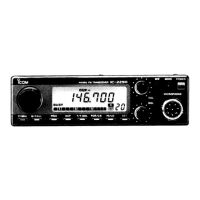
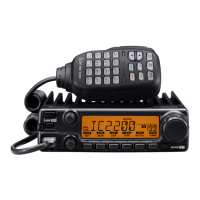
Icom IC-2200H - Service Manual

Icom IC-2200H
76 pages
Print Icon
To Next Page IconTo Next Page
Loading...
VHF TRANSCEIVER
i2200H
SERVICE
MANUAL

Other manuals for Icom IC-2200H

Questions and Answers

  • J
    Jacob PaulAug 17, 2025
    Why can't I set the frequency on my Icom Transceiver?
    • O
      ologanAug 17, 2025
      If you're unable to set the frequency on your Icom Transceiver, it might be because the frequency lock function is activated; turn the function OFF. Another possibility is that priority watch is paused on the watching frequency; push [M/CALLPRIO] to cancel the watch.
  • K
    kenneth46Aug 19, 2025
    Why Icom Transceiver no power?
    • M
      martinezmichaelAug 19, 2025
      If your Icom Transceiver isn't powering on, several factors could be responsible. There might be a poor connection at the power connector, so check the connector pins. The polarity of the power connection could be reversed; if so, re-connect the power cable, making sure to observe the correct polarity. Also, a blown fuse could be the culprit. If you find a damaged fuse, replace it, first checking the cause of the damage.
  • M
    Mrs. Jasmine AndersonAug 22, 2025
    What to do if Icom Transceiver has no sound?
    • A
      Alicia DeleonAug 22, 2025
      If you're not getting any sound from your Icom Transceiver's speaker, here are a few things to check: * First, make sure the volume isn't too low by rotating [VOL] clockwise. * The audio mute function may be activated; push any switch or key to deactivate it. * The squelch might be set too tightly; adjust the squelch level to the threshold. * A selective call or squelch function, like pocket beep or tone squelch, could be on; turn the appropriate function OFF.
  • T
    Timothy WilliamsAug 25, 2025
    How to fix low sensitivity on Icom Transceiver?
    • J
      Joseph TranAug 26, 2025
      If your Icom Transceiver has low sensitivity and you can only hear strong signals, it could be due to a couple of reasons. The antenna feedline or the antenna connector solder might have a poor contact or be short-circuited; check and replace the feedline if necessary, or re-solder the antenna connector. Alternatively, the squelch attenuator function might be activated; set [SQL] between 10–12 o’clock position.
  • A
    Amanda StoneAug 27, 2025
    Why Icom Transceiver no contact with other station?
    • J
      Jasmine DaviesAug 27, 2025
      If you're unable to make contact with another station using your Icom Transceiver, it could be because the other station is using tone squelch; try turning the tone squelch function ON. Alternatively, your transceiver might be set to duplex; set it to simplex.
  • G
    Gregory SotoAug 30, 2025
    What to do if Icom Transceiver repeater cannot be accessed?
    • J
      Jessica BeckAug 31, 2025
      If you're having trouble accessing a repeater with your Icom Transceiver, it could be due to a wrong offset frequency being programmed; correct the offset frequency. Another potential issue is a wrong subaudible tone frequency being programmed; in this case, correct the subaudible tone frequency.
  • A
    andersonshawnSep 2, 2025
    Why Icom Transceiver scan does not operate?
    • P
      Phyllis HancockSep 2, 2025
      If the scan function isn't working on your Icom Transceiver, it could be due to a few reasons: * The squelch might be open; set the squelch to the threshold point. * Only 1 memory channel might be programmed, or other channels are set as skip channels; program other memory channels or cancel the memory skip function in the desired channels. * Priority watch might be activated; cancel the watch.
  • B
    Brandon JamesSep 4, 2025
    Why some Icom Transceiver memory channels cannot be selected?
    • S
      Sergio SmithSep 5, 2025
      If some memory channels can't be selected via the microphone keypad on your Icom Transceiver, it's possible that the input channel number hasn't been programmed yet. Rotate [DIAL] to check whether the channel has been programmed or not.
  • J
    Jacob BookerSep 7, 2025
    Why does my Icom Transceiver transmission automatically cut off?
    • C
      Carl FisherSep 7, 2025
      If your Icom Transceiver's transmission is automatically cutting off, it's likely that the time-out timer is activated. Set the timer to OFF.
  • C
    Carol BakerSep 10, 2025
    What to do if Icom Transceiver transmission continues?
    • C
      Christy AnthonySep 12, 2025
      If the transmission continues even when you release the PTT button on your Icom Transceiver, it means the one-touch PTT function is activated. Turn the function OFF.

Summary

SERVICE MANUAL

VHF TRANSCEIVER IC-2200 H

Overview of the service manual for the IC-2200H VHF transceiver.

INTRODUCTION

DANGER WARNINGS

Critical safety warnings for operating the transceiver.

ORDERING PARTS

REPAIR NOTES

Essential guidelines for safe and effective transceiver repair.

SECTION 1 SPECIFICATIONS

GENERAL AND TRANSMITTER SPECIFICATIONS

Detailed electrical and performance specifications for the transceiver.

RECEIVER SPECIFICATIONS

Performance metrics for the transceiver's receiver section.

UT-115 SPECIFICATIONS

SECTION 2 INSIDE VIEWS

IC-2200 H INTERNAL VIEWS

Top and bottom views of the IC-2200H main unit components.

HM-133 V INTERNAL VIEWS

Component layout for the HM-133V microphone.

SECTION 4 CIRCUIT DESCRIPTION

RECEIVER CIRCUITS

Detailed explanation of the transceiver's receiver circuitry.

TRANSMITTER CIRCUITS

Detailed explanation of the transceiver's transmitter circuitry.

SECTION 5 ADJUSTMENT PROCEDURES

SOFTWARE ADJUSTMENTS

Procedures for adjusting frequency, power, deviation, and sensitivity.

SECTION 6 PARTS LIST

SECTION 10 BLOCK DIAGRAMS

SECTION 11 VOLTAGE DIAGRAMS

SERVICE MANUAL ADDENDUM

ADJUSTMENT PROCEDURES

FREQUENCY AND TRANSMIT ADJUSTMENTS

Step-by-step guide for frequency and transmit power adjustments.

RECEIVE ADJUSTMENTS

Step-by-step guide for receiver sensitivity and squelch adjustments.

Icom IC-2200H Specifications

General IconGeneral
Frequency Range144-148 MHz
ModeFM
Antenna ConnectorSO-239
Weight1.2 kg
Power Supply Requirement13.8 V DC
Dimensions140 x 40 x 160 mm
Current Consumption15A (at 65W output)
Number of Channels207 (200 regular, 6 scan edges, 1 call)

Related product manuals