13
4
MEMORY OPERATION
■ Programming a memory
channel
The transceiver has 200 (20 CH × 10 BANK) memory chan-
nels for storage of often-used frequencies.
q Push [CLR•
DEL] to select the frequency mode, if neces-
sary.
w Select the desired frequency.
• Set the desired frequency using [DIAL] or keypad.
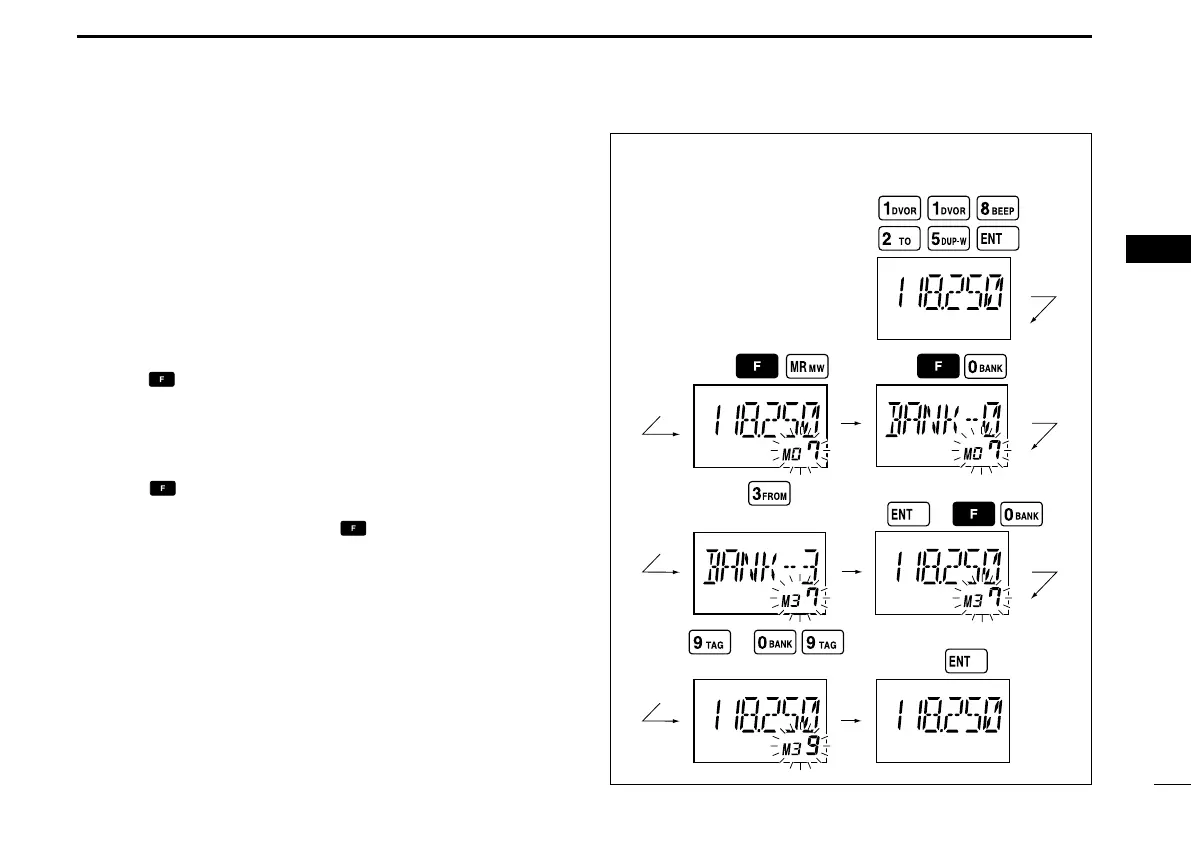
e Push
,
then push [MR•MW] to enter the memory pro-
gramming mode.
•“M”, memory BANK and memory channel number are blink.
r Rotate [DIAL] to select the desired memory channel num-
ber.
• Push , then push [0•BANK] to select the BANK number if de-
sired.
• Push [CLR•DEL], [ENT] or push then push [0•BANK] to exit
the BANK selection mode.
t Push [ENT] to program the information into the channel
and return to the frequency mode.


 To Next Page