
EasyManua.ls Logo

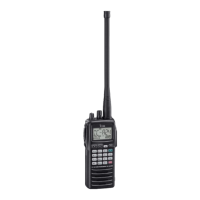
Icom IC-A24E - User Manual

Icom IC-A24E
40 pages
Print Icon
To Next Page IconTo Next Page
Loading...
INSTRUCTION MANUAL
iA6E
iA24E
VHF AIR BAND TRANSCEIVER
IC-A24E IC-A6E
IC-A24E_A6E-2.qxd 2007.04.23 5:29 PM Page i

Questions and Answers

  • C
    Christopher JohnsonAug 16, 2025
    Why can't I change the operating frequency on my Icom IC-A24E?
    • J
      Julia ReynoldsAug 17, 2025
      If you are unable to change the operating frequency or memory channel on your Icom Transceiver, the lock function may be activated. To deactivate it, push, then push [7• ].
  • T
    Tyler ChambersAug 19, 2025
    What to do if Icom IC-A24E operating frequency cannot be changed?
    • R
      richard87Aug 19, 2025
      If you cannot change the operating frequency or memory channel on your Icom Transceiver, it's likely that the lock function is activated. To deactivate it, push, then push [7• ].
  • M
    melanie74Aug 22, 2025
    How to fix an Icom IC-A24E Transceiver when no power comes on?
    • S
      Stephanie DickersonAug 22, 2025
      If your Icom Transceiver isn't powering on, there are several potential causes. First, the battery may be exhausted, so try recharging it. Second, there may be a bad connection with the battery pack, so check the connection to the transceiver. Finally, the CP-20’s fuse may be blown; in this case, identify the cause and replace the fuse.
  • C
    Carmen LopezAug 25, 2025
    Why is there no sound coming from the speaker of my Icom Transceiver?
    • D
      David WellsAug 25, 2025
      If you're not hearing any sound from your Icom Transceiver's speaker, it could be due to a couple of reasons. The squelch level might be set too deep; try adjusting the squelch to the threshold point. Alternatively, the volume level might be too low; adjust the [VOL] to a suitable level.
  • J
    John BrooksAug 27, 2025
    What to do if my Icom IC-A24E Transceiver is not transmitting?
    • S
      Stanley Fox PhDAug 27, 2025
      If your Icom Transceiver is not transmitting, there are two possible reasons. You may have the NAV band selected, if so, set COM band in frequency mode. Alternatively, the battery may be exhausted, so recharge the battery pack.
  • S
    Samuel LewisAug 30, 2025
    What to do if the scan does not start on my Icom IC-A24E?
    • P
      Paul MartinezAug 30, 2025
      If the scan function on your Icom Transceiver isn't starting, consider these potential causes: 1. Ensure that all memory channels in the selected bank are programmed as “TAG” channels, and if not, set the “TAG” settings of desired channels. 2. If the squelch is open, set the squelch level to tighten it. 3. If there are less than two memorized channels, program two or more memory channels.
  • K
    Kevin LopezSep 2, 2025
    How to turn on beep sounds on Icom IC-A24E Transceiver?
    • K
      kennedyvictoriaSep 2, 2025
      If you are not hearing any beep sounds on your Icom Transceiver, the beep tones may be turned OFF. To turn them back on, push, then push [8•BEEP], and rotate [DIAL] to adjust the beep tone level.
  • U
    uguzmanSep 4, 2025
    Why Icom IC-A24E Transceiver won't turn on?
    • K
      Kelly PierceSep 4, 2025
      Your Icom Transceiver might not be turning on due to several reasons. First, the battery might be exhausted, in which case you should recharge the battery pack. Another possibility is a bad connection for the battery pack; check the connection to the transceiver to ensure it's properly connected. Lastly, if you're using the CP-20, its fuse might be blown. Check for the cause and replace the fuse with a new one.
  • L
    lindsay81Sep 7, 2025
    What to do if there is no sound from Icom IC-A24E speaker?
    • A
      Anthony TurnerSep 7, 2025
      If you're not getting any sound from your Icom Transceiver's speaker, it could be due to a couple of reasons. The squelch level might be set too deep; try setting the squelch to the threshold point. Alternatively, the volume level might be too low; adjust the [VOL] to a suitable level.
  • P
    Paul WilliamsSep 10, 2025
    How to fix Icom IC-A24E transmitting impossible issue?
    • E
      Ethan SmithSep 10, 2025
      If your Icom Transceiver is unable to transmit, there are a couple of things to check. If the NAV band is selected, set COM band in frequency mode. Also, ensure that the battery isn't exhausted by recharging the battery pack.

Summary

Safety Precautions

Transceiver Panel Overview

Transceiver Panel Overview

Identifies and describes each physical component on the transceiver panel.

Panel Controls and Indicators

Recall and Power Functions

Navigates recall channels and controls power ON/OFF.

External Audio and Function Keys

Connects external audio and accesses secondary functions.

Panel Functions and Ports

Clear, ANL, and Emergency Keys

Clears data, activates ANL, and accesses emergency frequency.

Digit Keys and Secondary Functions

Function Display Indicators

Duplex and Battery Status Indicators

Indicates duplex mode status and low battery alerts.

More Display Indicators

Basic Operation

Setting Operating Frequency

Procedures for setting operating frequencies using keypad or tuning dial.

Receiving and Transmitting

Receiving Signals

Steps to set up and perform radio reception.

Transmitting Signals

Procedures for setting up and performing radio transmission.

Emergency, Lock, and Side Tone

Accessing Emergency Frequency

Quick method to access the 121.5 MHz emergency channel.

Memory Channel Management

Selecting Memory Channels

How to select memory channels and banks for access.

Programming Memory Channels

Programming Memory Channels

Detailed steps to store frequencies and settings into memory channels.

Scan Operation Modes

VOR Navigation Features

VOR Navigation Indicators

Explains the display indicators related to VOR navigation.

VOR Navigation Functions

Selecting CDI and DVOR Modes

How to select CDI or DVOR modes and set TO/FROM flags.

Flying to a VOR Station

Navigating to VOR Station

Guide on using the transceiver to navigate to a VOR station.

Advanced VOR Navigation

Entering and Monitoring Desired Course

How to set and monitor a desired course relative to a VOR station.

Crosschecking Aircraft Position

Method to determine aircraft position using two VOR stations.

ABSS Functionality

Details on the Auto Bearing Set System (ABSS) for course correction.

Duplex Operation Guide

Battery Management

Battery Usage Precautions

Important safety warnings and precautions for battery usage.

Battery Charging Options

Data Cloning Procedures

Troubleshooting Common Issues

No Power or Sound Issues

Troubleshooting steps for power-on and audio problems.

Transmission and Control Lock Issues

Troubleshooting for transmission failure and control lock.

Scan and Beep Sound Problems

Troubleshooting steps for scan initiation and beep sound issues.

Icom IC-A24E Specifications

General IconGeneral
ModulationAM
Power Supply Requirement7.2V DC
TypeAviation Transceiver
Channels200
Channel Spacing25kHz
Current Drain (Tx)1.5A
Audio Output Power700mW
Frequency Range118.000 - 136.991 MHz

Related product manuals










