11
Bluetooth
®
OPERATION
11-12
Accepting a pairing request from a Bluetooth
®
device (Continued)
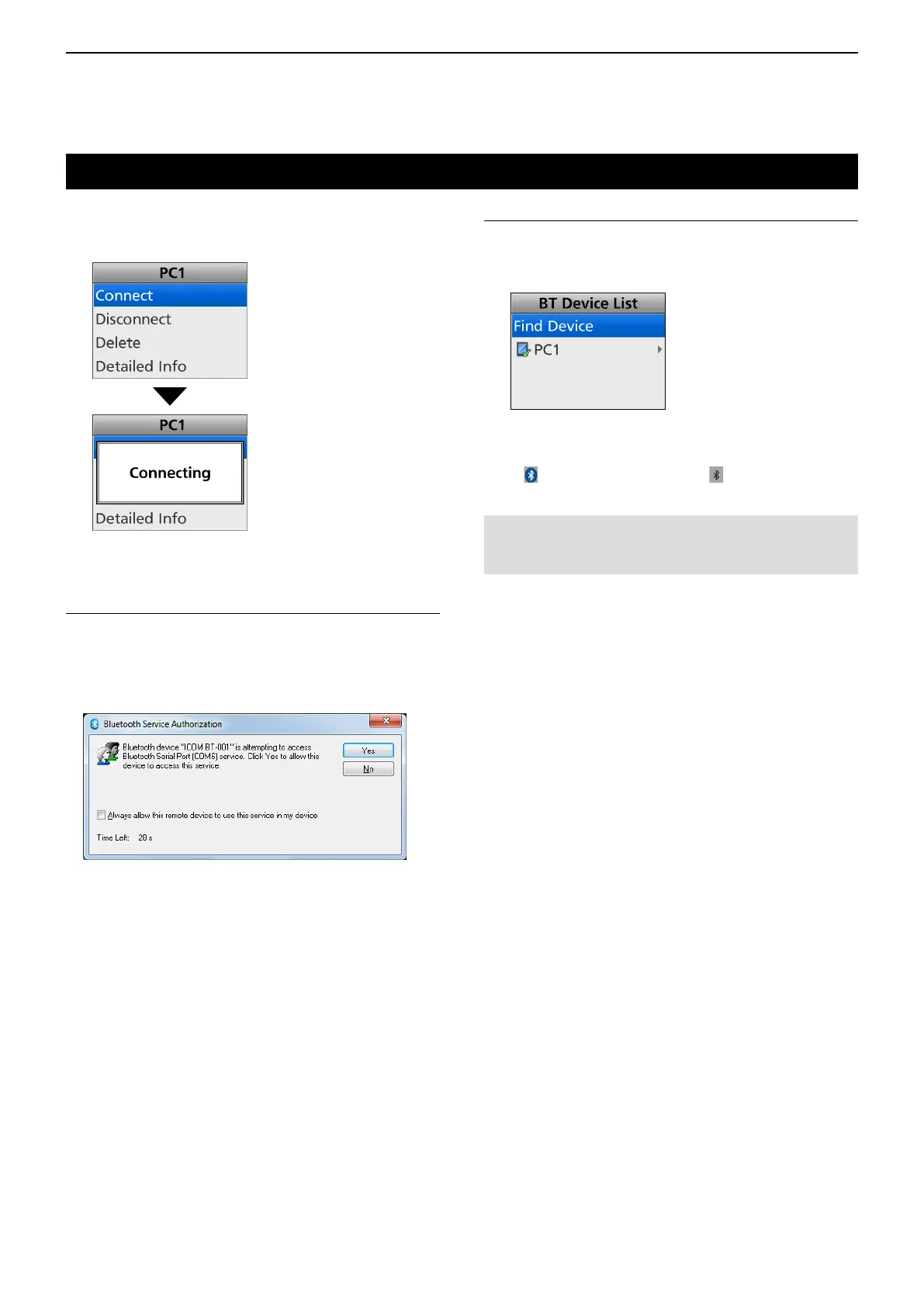
6. Push [Up] or [Down] to select “Connect,” then
push [OK].
• Connects to the device.
Step 7: Setting the Bluetooth
®
Serial Port
(
Bluetooth
®
device
)
If the Serial Port Access Authorization screen as
shown below is displayed, accept it.
L The content of screen may differ, depending on the
device.
LSee the device’s instruction manual for details.
(Example)
NOTE: When you pair with the third party’s headset,
entering a PIN code or passkey may be required.
See the headset’s instruction manual for details.
Step 8: Connection (Transceiver)
1. After the transceiver and the device connection
has succeeded, “✔” is displayed beside the
device icon.
2. Hold down [Back] for 1 second to return to the
standby screen.
• “ ” is displayed instead of “ .”



 To Next Page
 Loading...