12
4
BASIC OPERATION
■ Selecting a Channel (Continued)
Selecting the D Channel group
There are preset international channels in the IC-M423/IC-
M423G/IC-M424/IC-M424G. Except for the European ver-
sions, you can select a channel group suitable for your oper-
ating area, as described below.
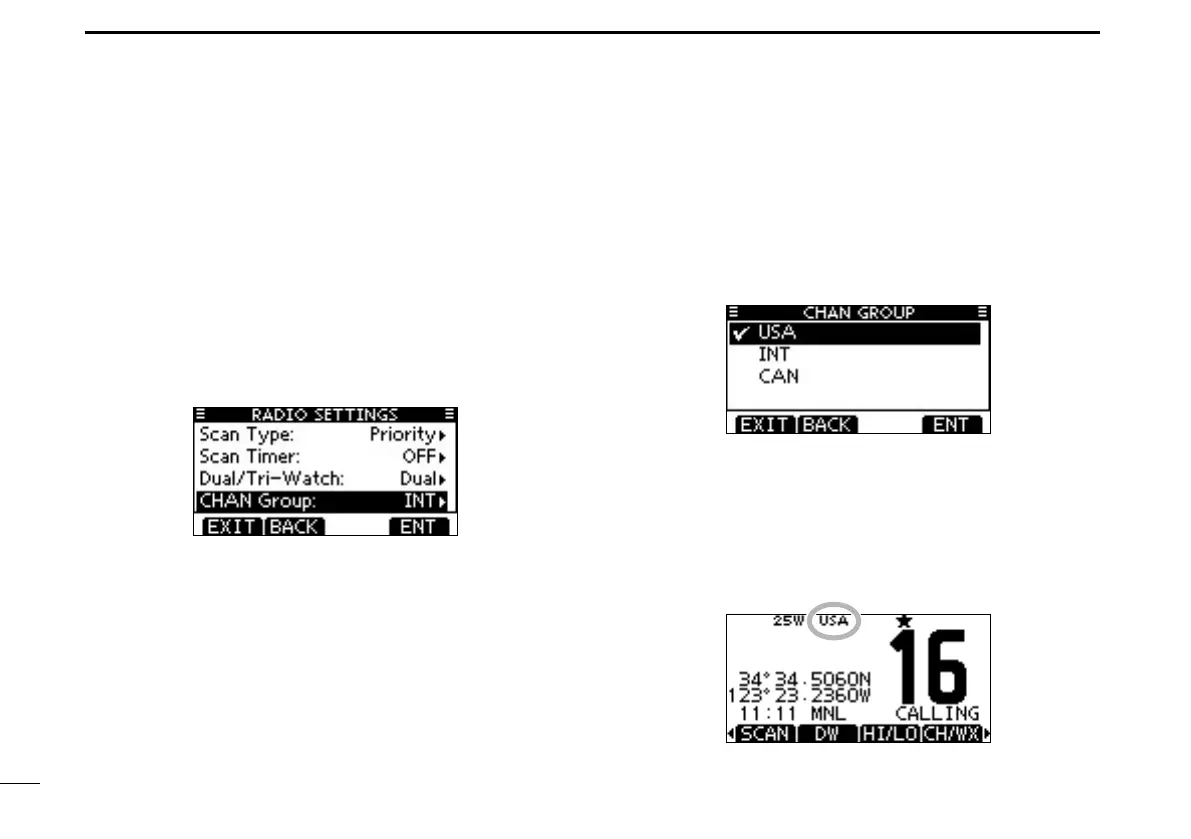
Push [MENU]. q
Rotate Dial or push [ w ∫]/[√] to select “Radio Settings,” and
then push [ENT].
Rotate Dial or push [ e ∫]/[√] to select “CHAN Group,” and
then push [ENT].
Rotate Dial or push [ r ∫]/[√] to select the desired channel
group, and then push [ENT].
•U.S.A.,(USA)International(INT),CAN(Canada),ATISorDSC
channel groups may be selected, depending on the transceiver
version.
•Push[BACK]toreturntothepreviousscreen.
Push [EXIT] to exit the Menu screen. t
Push [ y ∫]/[√] to select a channel.
•Pushing[Y]/[Z] on the microphone selects only Favorite chan-
nels.
•“DUP”isdisplayedwhenaduplexchannelisselected.
•“A”isdisplayedwhenasimplexchannelisselected.
When the U.S.A channel group is selected.
Channel group icon is displayed



 To Next Page