15
4
BASIC OPERATION
1
2
3
4
5
6
7
8
9
10
11
12
13
14
15
16
Microphone
t y
qw
iu
ry
r
Microphone
iu
ry
IC-M423G/IC-M424G IC-M423/IC-M424
Adjusting the ■ volume and
squelch levels
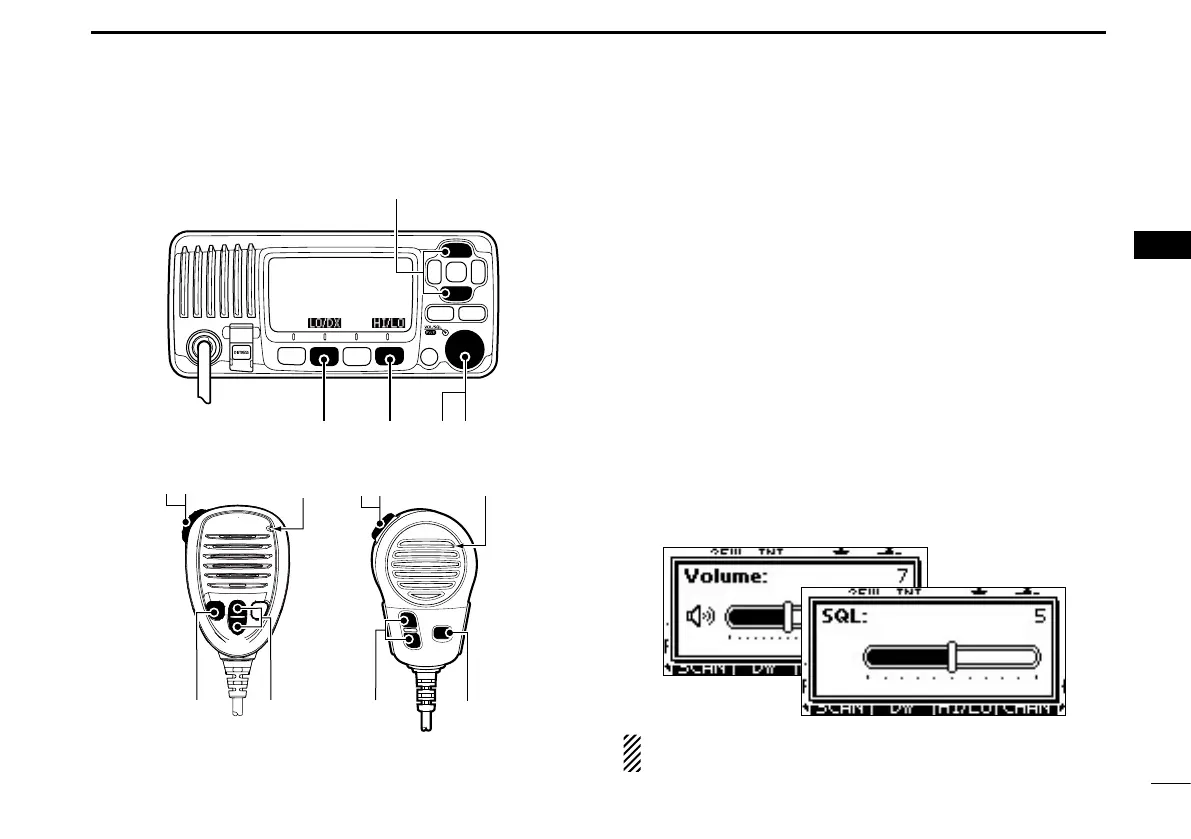
The volume and squelch levels can be adjusted with [VOL/
SQL](Dial).
Push [VOL/SQL](Dial) one or more times to display the q
volume or squelch adjustment screen.
Rotate [VOL/SQL](Dial) w or push [∫]/[√]/[Ω]/[≈] to adjust
the volume or squelch level.
•Thetransceiverhas20volumelevelsandOFF.
•The transceiver has 11 squelch levels. OPEN is completely
open, 10 is tight squelch, 1 is loose squelch.
•Ifnokeyispushforabout5seconds,thetransceiversetsthe
selected volume level, and returns to the normal mode.
Push [ENT] to set the level, and exit the volume adjust- e
ment mode.
•Push[CLEAR]tocancel.
The desired function can be assigned to Dial. See page 77
for details.



 To Next Page