11
4
BASIC OPERATION
New2001
1
2
3
4
5
6
7
8
9
10
11
12
13
14
15
16
Selecting a Channel ■
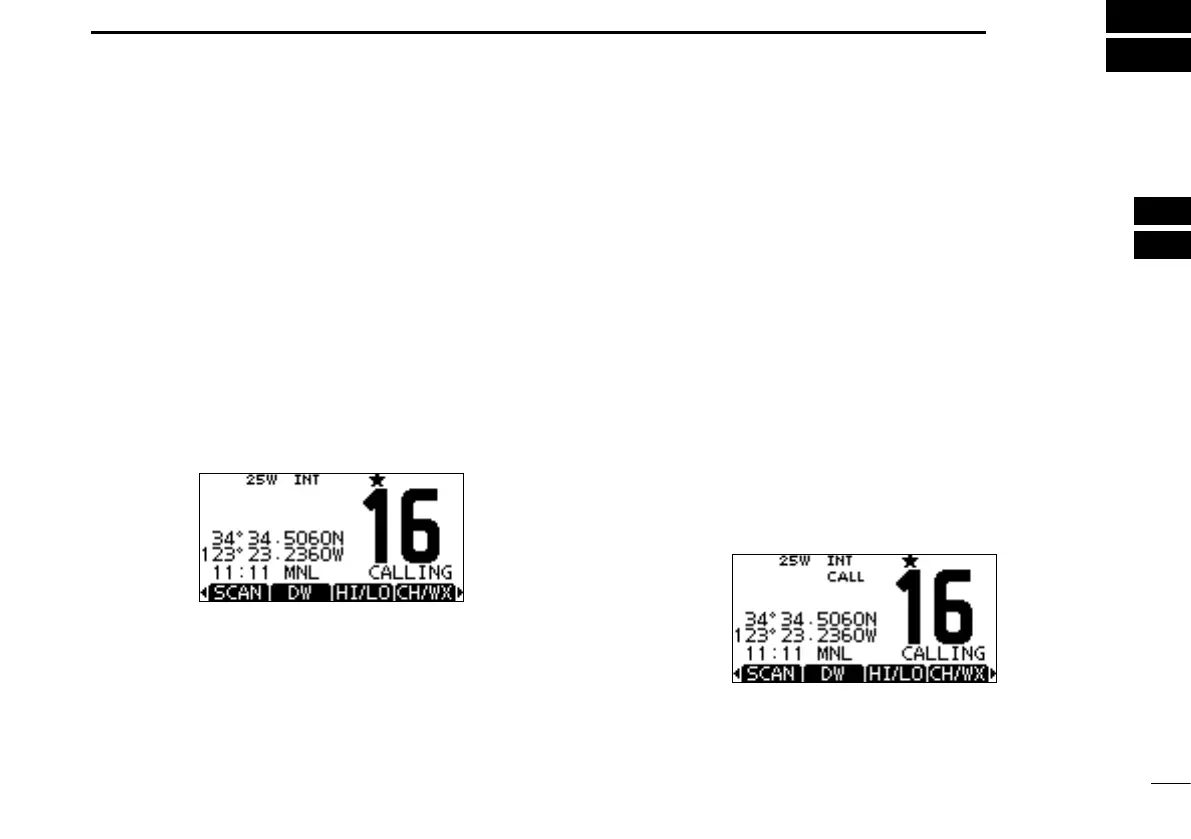
D Channel 16
Channel 16 is the distress and safety channel. It is used for
establishing initial contact with a station and for emergency
communications. Channel 16 is monitored during both Du-
alwatch and Tri-watch. While standing by, you must monitor
Channel 16.
Push [16/C] to select Channel 16. ➥
Push [CH/WX]* to return to the screen displayed before ➥
you selected Channel 16, or push [Y]/[Z] to select an op-
erating channel.
* [CHAN] is displayed instead of [CH/WX] for the IC-M423/IC-
M423G except for Australian version.
D Call channel
Each regular channel group has a separate leisure use Call
channel. The Call channel is monitored during Tri-watch. The
Call channel data can be entered. The channels used to
store your most often used channel in each channel group,
for quick recall. (p. 16)
Hold down [16/C] for 1 second to select the Call channel of ➥
the selected channel group.
•“CALL”andtheCallchannelnumberisdisplayed.
•Eachchannelgrouphasanindependentcallchannelafterentry.
(p. 16)
Push [CH/WX]* to return to the screen displayed before ➥
you selected Call channels, or push [Y]/[Z] to select an
operating channel.
* [CHAN] is displayed instead of [CH/WX] for the IC-M423/IC-
M423G except for Australian version.



 To Next Page