EasyManua.ls Logo

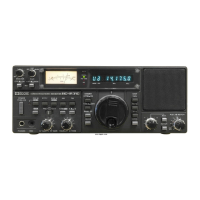
Icom IC-R75 - Service Manual

Icom IC-R75
51 pages
Print Icon
To Next Page IconTo Next Page
Loading...
SERVICE
MANUAL
COMMUNICATIONS RECEIVER

Other manuals for Icom IC-R75

Questions and Answers

  • C
    Christopher BrownAug 17, 2025
    What to do if no sound comes from the Icom Receiver speaker?
    • M
      Michael SantiagoAug 17, 2025
      If you can't hear any sound from the speaker, first, make sure the volume isn't too low by rotating the [AF] control clockwise to increase the listening level. Also, check that the squelch is open by rotating the [RF/SQL] control to the 12 o’clock position.
  • B
    baileyjefferyAug 20, 2025
    How to fix Icom Receiver when the power does not come on?
    • P
      Paul FriedmanAug 20, 2025
      If the power does not come on when you push the [POWER] switch, it may be due to the DC power cable being improperly connected. Reconnect the DC power cable correctly. Alternatively, the fuse may be blown. Check for the cause, and then replace the fuse with a spare one. (Fuses are installed in the DC power cable and the internal MAIN unit.)
  • M
    Megan PotterAug 22, 2025
    How to fix Icom IC-R75 Receiver when it does not turn on?
    • J
      jennifersandersAug 23, 2025
      If your Icom Receiver doesn't power on when you push the power switch, it could be due to a couple of reasons. First, check that the DC power cable is properly connected and reconnect it if necessary. Second, inspect the fuse; if it's blown, determine the cause and replace it with a spare. Fuses are located in the DC power cable and the internal MAIN unit.
  • C
    Casey GreenAug 25, 2025
    Why is there no sound coming from my Icom IC-R75 speaker?
    • A
      Amber PhelpsAug 26, 2025
      If you're not getting any sound from your Icom Receiver's speaker, there are a couple of things to check: * Ensure the volume level isn't too low by rotating the [AF] control clockwise. * Make sure the squelch isn't closed by rotating the [RF/SQL] control to the 12 o’clock position.
  • K
    Kristopher DurhamAug 28, 2025
    What to do if the frequency on my Icom IC-R75 isn't changing properly?
    • B
      Bailey CarrollAug 28, 2025
      If the displayed frequency on your Icom Receiver isn't changing properly, there are a couple of potential causes. First, the dial lock function might be activated; push the [LOCK] button to deactivate it. Alternatively, the internal CPU may have malfunctioned, in which case you should reset the CPU.
  • A
    Amanda CohenAug 30, 2025
    Why is the sensitivity low on my Icom IC-R75?
    • M
      mbarrettAug 30, 2025
      If you're experiencing low sensitivity on your Icom Receiver, consider these potential causes: * The antenna may not be connected properly; reconnect it to the antenna connector. * You might have selected an antenna for another band; select an antenna suitable for the operating frequency. * The attenuator might be activated; push [ATT] to turn the function OFF.
  • J
    John ChavezSep 2, 2025
    How to resolve distorted receive audio on my Icom IC-R75 Receiver?
    • J
      Joseph CookSep 2, 2025
      If the receive audio on your Icom Receiver is distorted, here are several things you can check: * Ensure that you've selected a suitable operating mode. * If the PBT function is activated, set [TWIN PBT] to the center position. * If the noise blanker function is activated, push [NB] to turn the function OFF. * If the preamp is activated, push [P.AMP] once or twice to turn the function OFF. * If the optional noise reduction is activated and the [NR] level is set too high, push [NR] to turn the function OFF.
  • A
    Alexis BryantSep 4, 2025
    Why does the programmed scan on my Icom Receiver not stop?
    • C
      carlsonsusanSep 4, 2025
      If the programmed scan on your Icom Receiver doesn't stop, it could be because the squelch is open. Try setting [RF/SQL] to the threshold point. Alternatively, [RF/SQL] might be assigned to RF gain control, and the squelch is open. In that case, reset the [RF/SQL] control assignment and set it to the threshold point.
  • D
    Daniel JohnsonSep 6, 2025
    What does it mean when 'F.AGC' flashes on my Icom IC-R75?
    • B
      Brandon ChapmanSep 7, 2025
      If “F.AGC” flashes in the function display of your Icom Receiver, a scan or band scope function is activated via an optional RS-R75 remote control software. If these functions are not in use, push [AGC] to deactivate the function.
  • S
    sandra15Sep 9, 2025
    Why won't the programmed scan start on my Icom IC-R75?
    • M
      Mary PerezSep 9, 2025
      If the programmed scan on your Icom Receiver does not start, it may be because the same frequencies have been programmed in scan edge memory channels P1 and P2. Program different frequencies in scan edge memory channels P1 and P2.

Summary

DANGER

SECTION 1 SPECIFICATIONS

SECTION 3 CIRCUIT DESCRIPTION

3-1 RECEIVER CIRCUITS

Explanation of the RF switching, filtering, and pre-amplifier circuits.

3-2 PLL CIRCUITS

Description of the Phase-Locked Loop (PLL) system and its circuits.

3-3 LOGIC CIRCUITS

Description of the CPU and associated logic circuits.

3-4 POWER SUPPLY CIRCUITS

Details on the various voltage lines and their functions within the unit.

3-5 PORT ALLOCATIONS

Pin assignments and functions for the CPU and other connectors.

SECTION 4 ADJUSTMENT PROCEDURES

4-1 PREPARATION

Required test equipment and connection setup for adjustments.

4-2 PLL ADJUSTMENT

Procedure for adjusting the Phase-Locked Loop (PLL) circuits for frequency stability.

4-3 RECEIVER ADJUSTMENTS

Procedures for adjusting receiver sensitivity, mixer balance, and other RF parameters.

4-4 SET MODE ADJUSTMENT

Instructions for entering and performing set mode adjustments.

SECTION 9 BLOCK DIAGRAM

SECTION 10 VOLTAGE DIAGRAM

10-1 FRONT UNIT

Voltage diagram for the Front Unit, showing power distribution.

10-3 MAIN UNIT

Voltage diagram for the Main Unit, detailing power distribution.

Icom IC-R75 Specifications

General IconGeneral
BrandIcom
ModelIC-R75
CategoryReceiver
LanguageEnglish

Related product manuals