EasyManua.ls Logo

Icom IC-R75 - Service Manual

Icom IC-R75
51 pages
Print Icon
To Next Page IconTo Next Page
Loading...
SERVICE
MANUAL
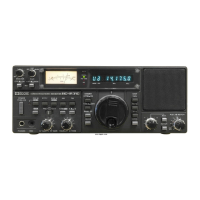
COMMUNICATIONS RECEIVER

Other manuals for Icom IC-R75

Questions and Answers

  • E
    eadamsSep 12, 2025
    Why doesn't the memory scan start on my Icom Receiver?
    • R
      rramseySep 12, 2025
      If the memory scan on your Icom Receiver doesn't start, it's possible that fewer than two memory channels have been programmed. Program two or more memory channels to resolve this.
  • B
    burtonsamuelSep 14, 2025
    Why is the select memory scan not starting on my Icom IC-R75 Receiver?
    • T
      Thomas MccarthySep 14, 2025
      If the select memory scan isn't starting on your Icom Receiver, it could be because fewer than two memory channels have been designated as select channels. Designate two or more memory channels as select channels for the scan.

Summary

DANGER

SECTION 1 SPECIFICATIONS

SECTION 3 CIRCUIT DESCRIPTION

3-1 RECEIVER CIRCUITS

Explanation of the RF switching, filtering, and pre-amplifier circuits.

3-2 PLL CIRCUITS

Description of the Phase-Locked Loop (PLL) system and its circuits.

3-3 LOGIC CIRCUITS

Description of the CPU and associated logic circuits.

3-4 POWER SUPPLY CIRCUITS

Details on the various voltage lines and their functions within the unit.

3-5 PORT ALLOCATIONS

Pin assignments and functions for the CPU and other connectors.

SECTION 4 ADJUSTMENT PROCEDURES

4-1 PREPARATION

Required test equipment and connection setup for adjustments.

4-2 PLL ADJUSTMENT

Procedure for adjusting the Phase-Locked Loop (PLL) circuits for frequency stability.

4-3 RECEIVER ADJUSTMENTS

Procedures for adjusting receiver sensitivity, mixer balance, and other RF parameters.

4-4 SET MODE ADJUSTMENT

Instructions for entering and performing set mode adjustments.

SECTION 9 BLOCK DIAGRAM

SECTION 10 VOLTAGE DIAGRAM

10-1 FRONT UNIT

Voltage diagram for the Front Unit, showing power distribution.

10-3 MAIN UNIT

Voltage diagram for the Main Unit, detailing power distribution.

Icom IC-R75 Specifications

General IconGeneral
BrandIcom
ModelIC-R75
CategoryReceiver
LanguageEnglish

Related product manuals