CHAPTER 2. GETTING STARTED 9
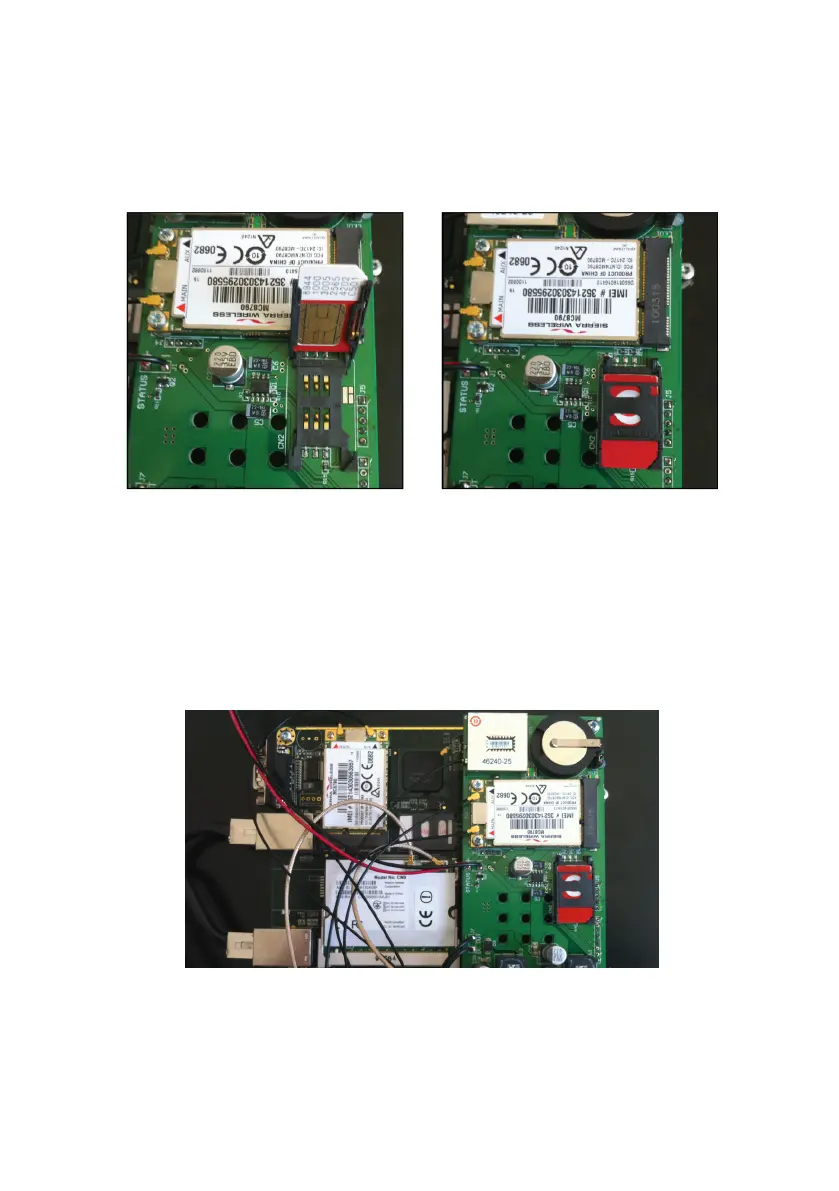
on the mother board. Lift the SIM card holder as shown below and insert the
SIM card with the contacts facing down. Close the SIM card holder and slide
to lock (see Figure 2.3).
Figure 2.3: Inserting the SIM card
6 Gently refit the top chassis and replace the six screws you removed earlier,
making sure not to overtighten them.
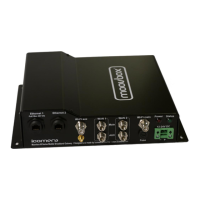
7 The installation of the SIM and WAN modems is now complete. See Fig-
ure 2.4.
Figure 2.4: The finished SIM and WAN modem installation


 To Next Page