• • – switch between ‘L’ - low speed and ‘H’ - high speed change of the
optical encoder. In high speed mode adjust volume carefully and do not
spin the volume control knob.
Important note:
If you have activated the optional AV pass-through function for the IN
2, on the output the input signal will appear without attenuation (full
volume, 0 dB)and you will see 0 (dB) on the display. In AV pass-through
state every function (volume adjustment, mute, balance) is disabled , only
input change is possible to nish the AV pass-through mode and listening
normally from the other inputs.
Please be careful with the AV pass function, because using it in a wrong
way you can destroy your loudspeakers. If you don’t understand fully how
does it work - do not enable this function.
FACEPLATE
Handle the faceplate with care, it’s easy to scratch it with sharp objects.
Clean it only with soft cloth and window cleaner if it’s necessary.
7 SEGMENT LED DISPLAY
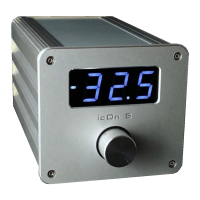
The display shows the volume in dB (or optionally in numbers from 0 to
135). Max. volume is +3.0 dB (135) or -10 dB (122), minimum level is -
80 dB (1), when muted -99 dB (0). The night mode without showing the
volume numbers (only a dim dash) is reachable through the sensor on
the faceplate and from the remote.
REAR PLATE
Power switch: You can leave icOn 5 switched ON, using the sleep mode
for deactivation from the Apple remote or the sensor.
Power connector: use only the supplied wall wart power supply (6V/
0.8A) or an optional icOn power supply!!! If you would like to use a
third party power supply please consult with us rst. Max. Input
voltage: 7.5V!
9


 To Next Page