6
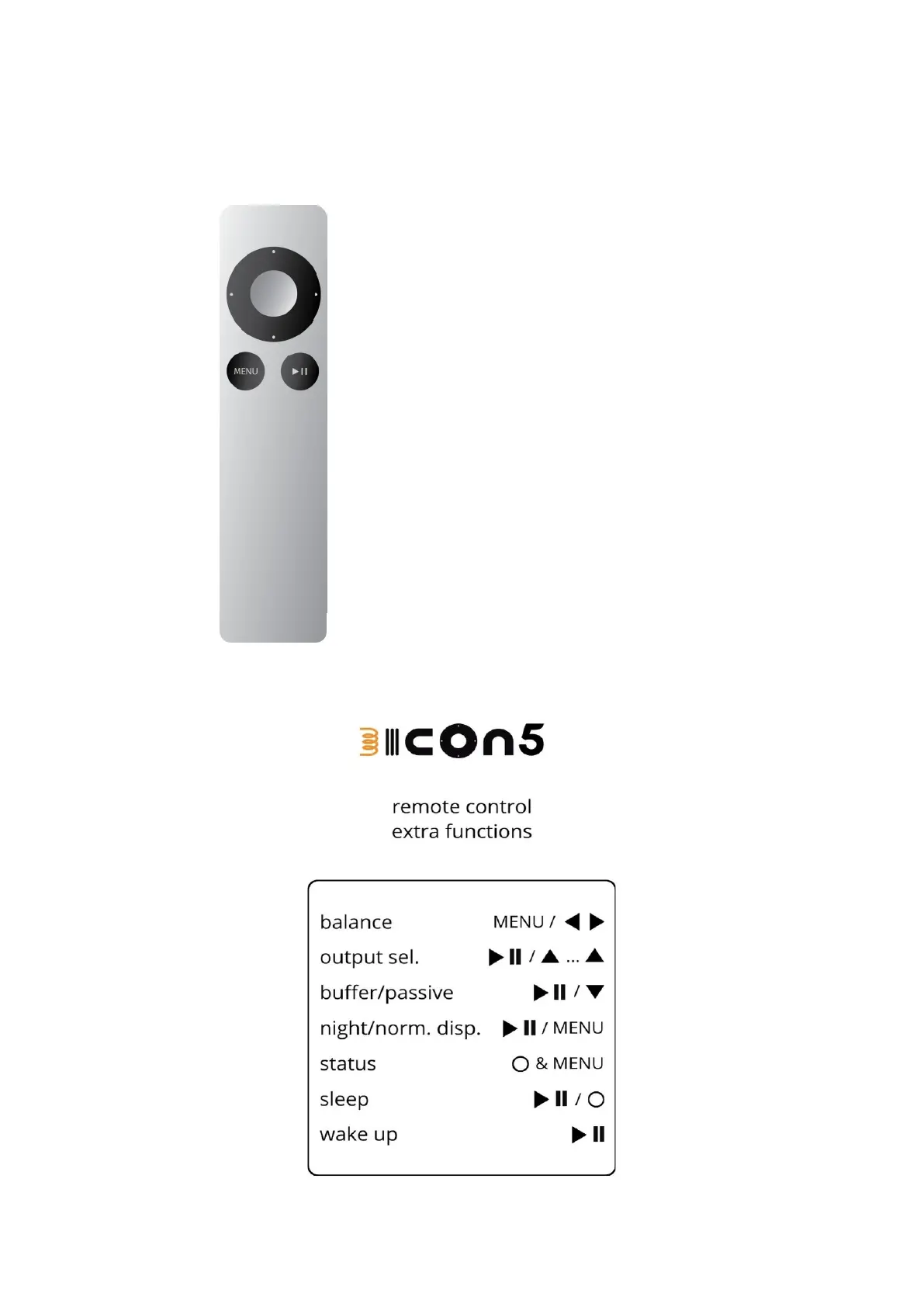
USING THE APPLE REMOTE
1
5
3
3
2
6 4
1 Volume Up / output selection
2 Volume Down / buffer ON/OFF
3 Input selection / Balance
4 Mute / Unmute or Wake Up
from sleep
5 Status, goes to Sleep when
pushed in Muted state
6 Enter and Exit to Balance
adjustment, Night mode when
pushed in Mute (pushing again in
Muted state switches back to
normal display mode)


 To Next Page