46
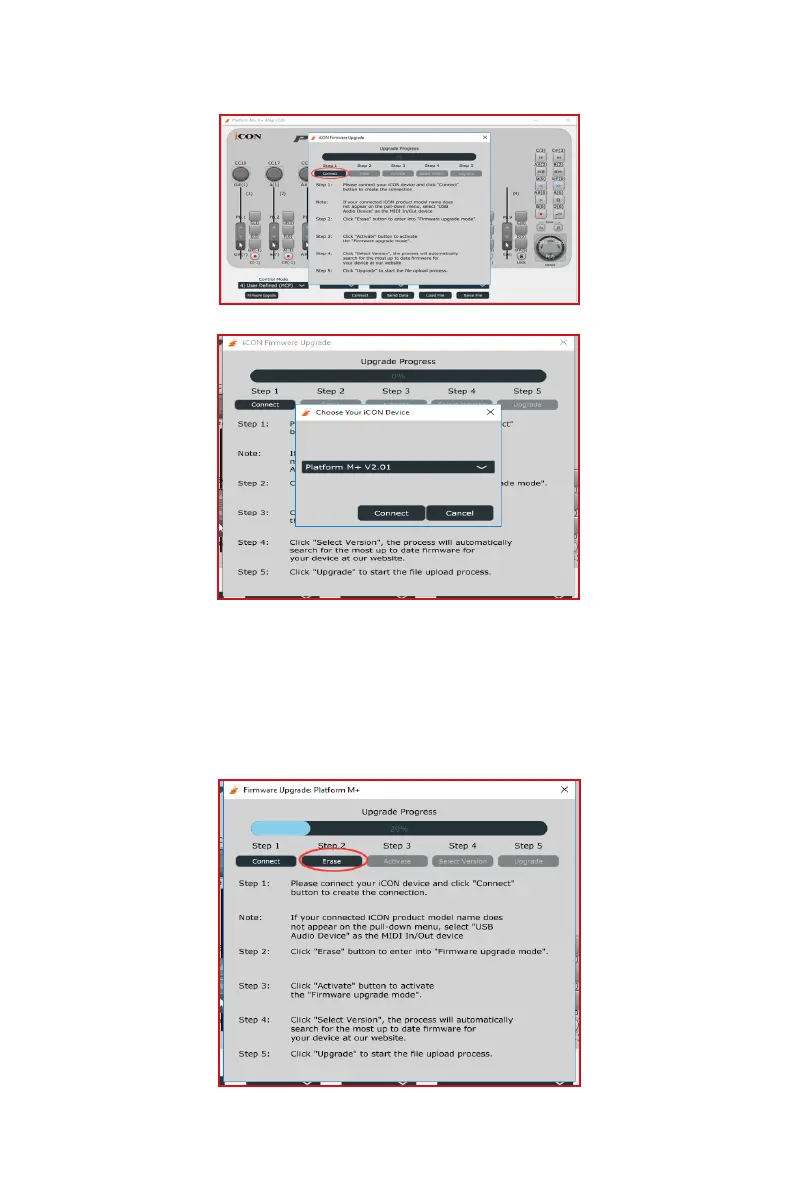
Step 1:
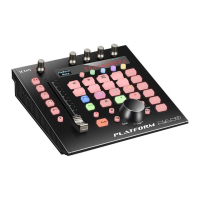
Step 2:
Note: If Platform M+ does not appear on the pull-down menu, select "USB
Audio Device" as the MIDI In/Out device.
Please click the rst "Connect" button to select Platform M+ as the MIDI
output device.
Click the "Erase" button to erase the rmware. Step 3 will only be enabled if
the rmware has erased successfully.



 To Next Page