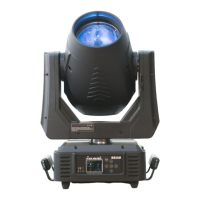
ICON STAGE USER MANUAL
5) Press <ENTER> to confirm or press <MODE/ESC> to return to the main menu.
Pan Reverse
With this function you can reverse the Pan-movement.
1) Tap <MODE/ESC>button,access the main menu,Tap the <Up/Down>button until “Config” is
displayed. Press <ENTER>,the display will show “Config”. Tap the <Up/Down>button until
the
display will show “Pan and Tilt ”.Press <ENTER>,the display will show “Pan and Tilt”.
2) Press <Up/Down>,the display will show “Pan Reverse”.
3) Press< ENTER>,the display will show “Pan Reverse”.
4) The display show “OFF”,Press <Up/Down>,the display will show “ON”.
5) Press <ENTER> to confirm or press <MODE/ESC> to return to the main menu.
Feedback
With this function,you can feedback switch of pan movement or tilt movement.
1) Tap <MODE/ESC>button,access the main menu,Tap the <Up/Down>button until “Config” is
displayed. Press <ENTER>,the display will show “Config”. Tap the <Up/Down>button until
the
display will show “Pan and Tilt ”.Press <ENTER>,the display will show“Pan and Tilt”.
2) Press <Up/Down>,the display will show “Feedback”.
3) Press< ENTER>,the display will show “Feedback”..
4) The display show “ON”,Press <Up/Down>,the display will show “OFF”.
5) Press <ENTER> to confirm or press <MODE/ESC> to return to the main menu.
9.2.5 Dimmer Curve
1) Tap<MODE/ESC>button,access the main menu,Tap the <Up/Down>button until “Config” is
displayed. Press <ENTER>,the display will show “Config”.
2) Tap the <Up/Down>button until “Dimmer Curve” is displayed.
3) Press <ENTER>,the display will show“Dimmer Curve”.
4) The display show “Standard”,Press <Up/Down>,the display will show “Standard”,“Stage”,
“TV”,“Architectural”,“Theatre”.
5) Press <ENTER> to confirm or press <MODE/ESC> to return to the main menu.
9.2.6 Refresh
1) Tap<MODE/ESC>button,access the main menu,Tap the <Up/Down>button until “Config” is
displayed. Press <ENTER>,the display will show “Config”.
2) Tap the <Up/Down>button until “Refresh” is displayed.
3) Press <ENTER>,the display will show “Refresh”.
4) The display show “1200Hz”,Press <Up/Down>,the display will show “900~25000Hz”.
5) Press <ENTER> to confirm or press <MODE/ESC> to return to the main menu.
9.2.7 Gamma
1) Tap<MODE/ESC>button,access the main menu,Tap the <Up/Down>button until “Config” is
displayed. Press <ENTER>,the display will show “Config”.
2) Tap the <Up/Down>button until “Gamma” is displayed.
3) Press <ENTER>,the display will show “Gamma”.
4) The display show “2.0”,Press <Up/Down>,the display will show “2.0~2.8”.
5) Press <ENTER> to confirm or press <MODE/ESC> to return to the main menu.


 To Next Page