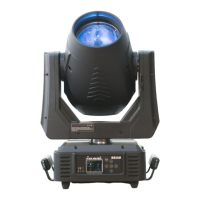
ICON STAGE USER MANUAL
2. FEATURES
1) POWER SUPPLY
+ AC 100-240V~,50/60Hz
+ Power Consumption:600W
+ LED:White 420W LED
+ Extremely long Life:>20,000H
+ Pan movement:540
。
/630
。
Optional (16 bit)
+ Tilt movement:270
。
(16 bit)
+ Advanced moving system:fast,stable and quite,auto x-y repositioning
4) COLORS
+ CMY & CTO Variable Color Mixing for Infinite Color Possibilities
+ 1 Color wheel: 7 dichroic filters + open, indexable, rainbow effect
5) GOBOS
+ 1 Rotation gobo wheel:7 interchangeable,rotating,and indexable,gobo + open
+ “Slot in & out” gobo wheel system
+ 1 Static gobo wheel:8 + open
+ 2 Control channel modes:34/58 channels
+ 2 operations modes:DMX-512,Extended / Standard
+ Strobe effect with 1-25 flashes per second and pulse effect
+ Rotating Prism:5 facets prism,Linear prism and prism Macros
+ Animation wheel:can make special dynamic flame or water effect
+ Beam angle:zoom for 8.2
。
~56
。
+ Motorized focus
+ Dimmer:0%~100% full range dimming
+ Stepless frost:0%~100% linear change frost
+ Stepless iris:5%~100% linear change iris,pulse iris effect
+ Advanced and convenient full –color LCD touch screen, with rechargeable battery
+ Locked automatically after standby for 15 seconds to prevent error;hold the button for 3
seconds to activate
+ Pan/Tilt Lock Out:Locks Pan / Tilt from resetting, enabling reset to be carried out inside a flight
case. Power the unit. Press & hold button until the display shows “No Movement
Reset”.
+ Upgrades:fast and convenient through DMX cable
+ Reset DMX address, remote lamp switch, reset can all be done by the controller


 To Next Page