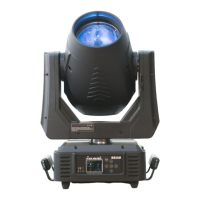
ICON STAGE USER MANUAL
Record 2, and Error Record 10.
1) Tap <MODE/ESC>button,access the main menu,Tap the <Up/Down>button until “Info” is
displayed. Press <ENTER>,the display will show “Info”.
2) Press <Up/Down>,the display will show “Error Info”.
3) Press< ENTER>,the display will show “Error Info”.
4) The display will show“Error Record 1”,“Error Record 2”……“Error Record 10”.
5) Press <ENTER> to confirm or press <MODE/ESC> to return to the main menu.
9.6 Test
9.6.1 Self Test
With this function you can test each channel on its (correct) function.
1) Tap <MODE/ESC>button,access the main menu,Tap the <Up/Down>button until “Test” is
displayed. Press <ENTER>,the display will show “Test”.
2) Press <Up/Down>,the display will show “Self Test”.
3) Press< ENTER>,the display will show “Self Test”.
4) The display show“All”,Press <Up/Down>,the display will show “All”,“Internal Functions”,
“Movement”,“Individual Funtion”.
5) Press <ENTER> to confirm or press <MODE/ESC> to return to the main menu.
9.6.2 Manual Control
With this function,you can adjust the lamp more easily. All effects will be canceled,the shutter
opens and the dimmer intensity will be set to 100 %. With the individual functions,you can focus
the light on a flat surface (wall) and erform the fine lamp adjustment.
1) Tap <MODE/ESC>button,access the main menu,Tap the <Up/Down>button until “Test” is
displayed. Press <ENTER>,the display will show “Test”.
2) Press <Up/Down>,the display will show “Manual control”.
3) Press< ENTER>,the display will show “Manual control”.
4) The display show “PAN,Tilt,..…”.
5) Press <ENTER> to confirm or press <MODE/ESC> to return to the main menu.
9.6.3 Calibration
With this function,you can calibrate and adjust the effect wheels to their correct positions. The
password of calibrate values is 050.
1) Tap <MODE/ESC>button,access the main menu,Tap the <Up/Down>button until “Test” is
displayed. Press <ENTER>,the display will show “Test”.
2) Press <Up/Down>,the display will show “Calibration”.
3) Press< ENTER>,the display will show “Calibration”.
4) The display show “Password”,Press <Up/Down>,the display will show “Pan”,“Tilt”,“Color
Wheel”…….
5) Press <ENTER> to confirm or press <MODE/ESC> to return to the main menu.
9.6.4 Cleaning Mode
1) Tap <MODE/ESC>button,access the main menu,Tap the <Up/Down>button until“Test”is
displayed. Press <ENTER>,the display will show “Test”.
2) Press <Up/Down>,the display will show “Cleaning Mode”.
3) Press< ENTER>,the display will show “Cleaning Mode”.
4) The display show “Clean Focus”,“Clean Prism”,“Clean Zoom”.
5) Press <ENTER> to confirm or press <MODE/ESC> to return to the main menu.


 To Next Page