48
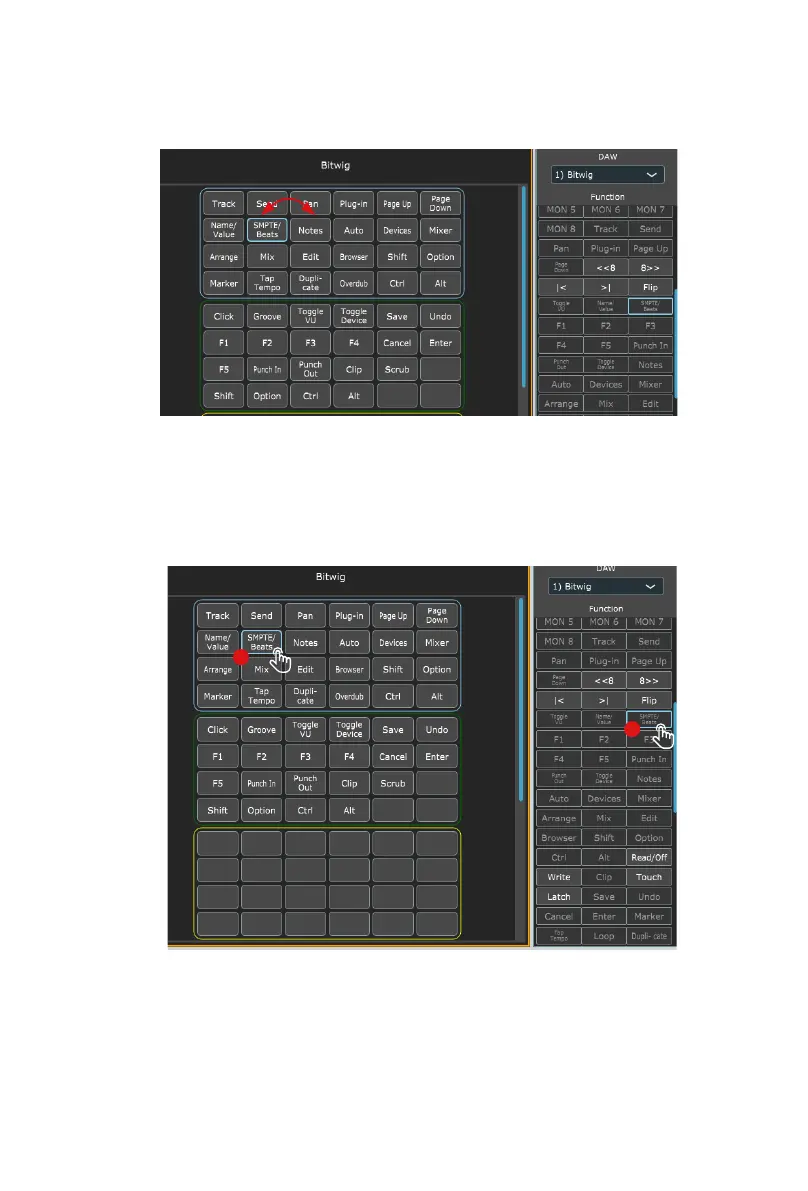
If you would like to change the functions to suit your needs, it is easy to do. Simply
drag and drop with your mouse from within the boxes and place a function where
you would like it to be.
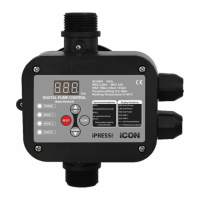
You can also assign functions via the function list beneath the DAW drop down list.
Simply click on the space where you would like the function to appear (A) and click
on the function (B).
All changes made will display immediately on the V1-M.
A
B


 To Next Page