56
Firmware upgrade
V1-M functional rmware upload procedure
Warning:
The rmware upload process MUST be completed and not interrupted
during the le upload, otherwise the rmware may not be rewritten
again.
3
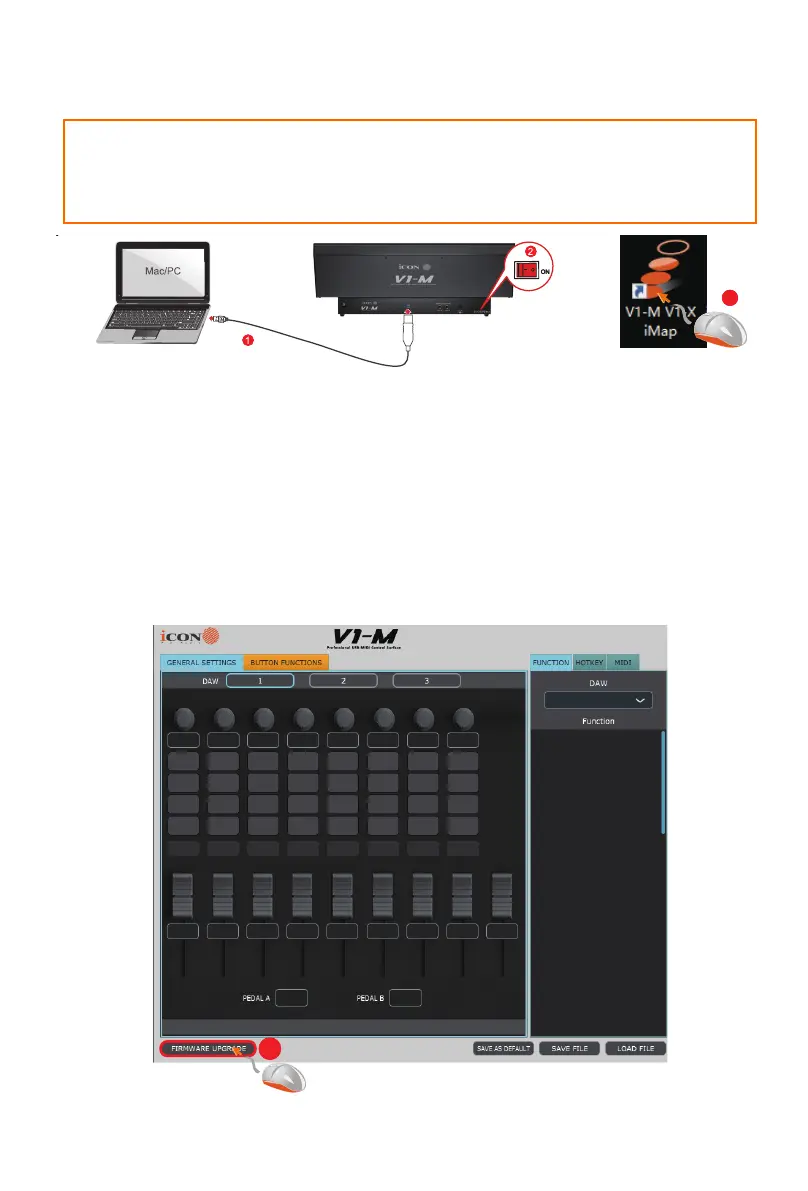
Connect the V1-M using a USB C connection. Ensure the latest iMAP
is downloaded from the website and installed, (check to make sure your
iMAP is up to date!). Run the iMAP.
Click ‘Firmware update’.
Step1:
4
IMPORTANT: CLICK THE "TITLE" OF THE IMAP TO SWAP BETWEEN THE V1-M
AND V1-X VERSIONS. ALWAYS CHECK YOU ARE UPGRADING FIRMWARE
FOR THE CORRECT DEVICE.


 To Next Page