iconBIT XD290HDMI User Manual
11
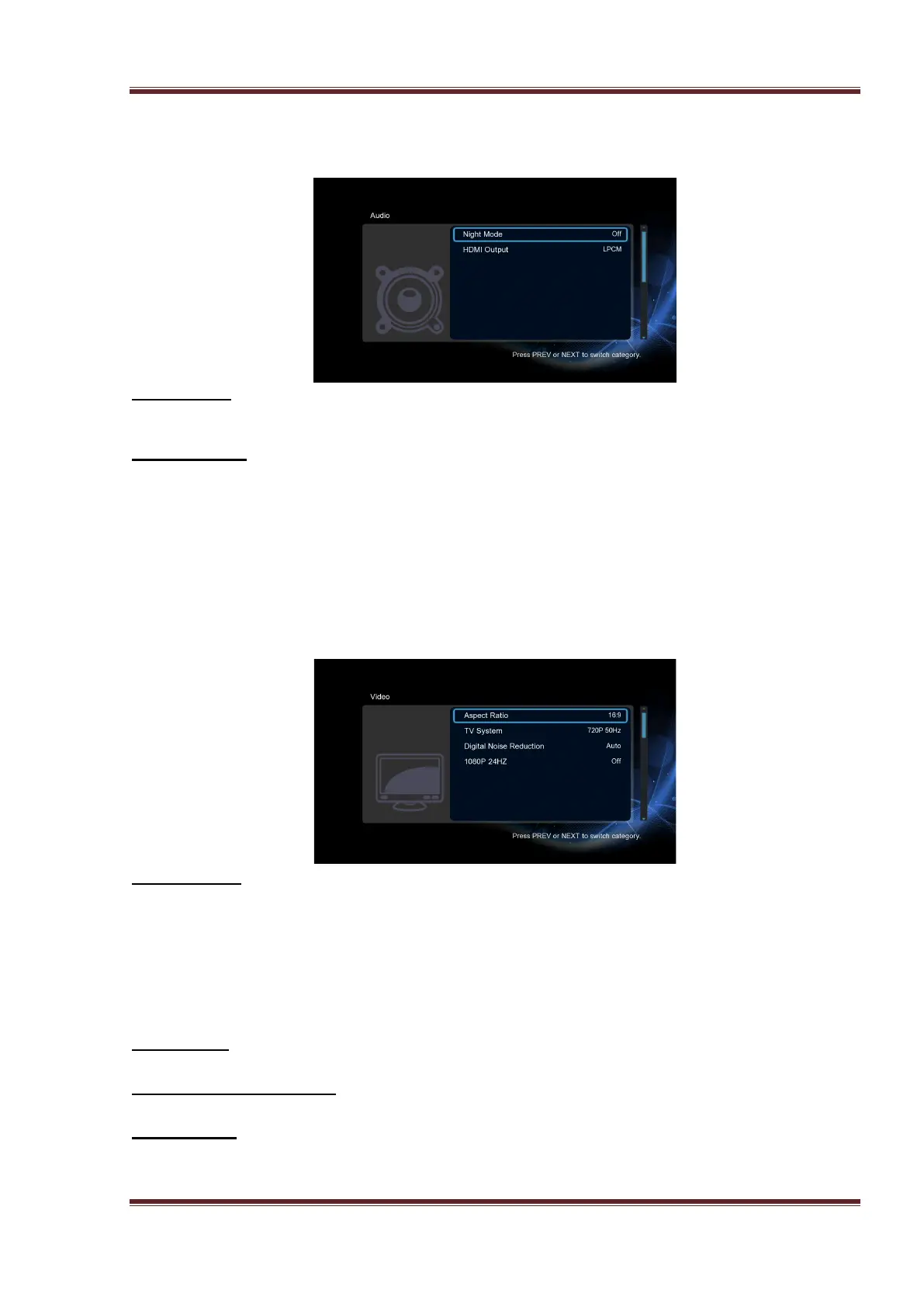
3.1.2 Changing Audio Settings
Use this menu to configure audio settings
Night Mode
- Choose among Off / On / Comfort. If the option is turned on, the audio output volume
will be decreased to make you more comfortable.
HDMI Output
- Choose among LPCM, RAW.
Note: In raw mode, Dolby TrueHD, Dolby Digital Plus, Dolby Digital, DTS sound can be by
passed to the HDMI TV or Digital amplifier.
Due to the bandwidth requirement, Dolby TrueHD and Dolby Digital Plus sound only can be
by passed though HDMI cable, also the TV system must up to 720p or above.
3.1.3 Changing Video Settings
Use this menu to configure video settings.
Aspect Ratio
- Pan Scan 4:3: Display a wide picture on the entire screen and cuts off the redundant
portions. Select when a standard 4:3 TV is connected.
- Letter Box 4:3: Display a wide picture with two black borders on the top and bottom of
4:3 screen. Select when a standard 4:3 TV is connected.
- 16:9: Compress the image to convert the whole image. Select when a 16:9 TV is
connected.
- 16:10: Select when a 16:10 TV is connected.
TV SYSTEM
- Select to adjust video output resolution.
Digital Noise Reduction
- Select to turn on/off digital noise reduction.
1080p 24Hz
- Choose this option to enable or disable 1080P 24HZ support. A TV set with 1080P 24HZ
(24P) mode is needed.



 To Next Page