iconBIT XD290HDMI User Manual
7
18 DOWN Navigational button. Press the arrow buttons to select menu
19 Edit Press to enter file editing menu in file manager.
Press to enter file selecting menu in media library.
20 RIGHT Navigational button. Press the arrow buttons to select menu
Press to return to the previous screen while navigating menus.
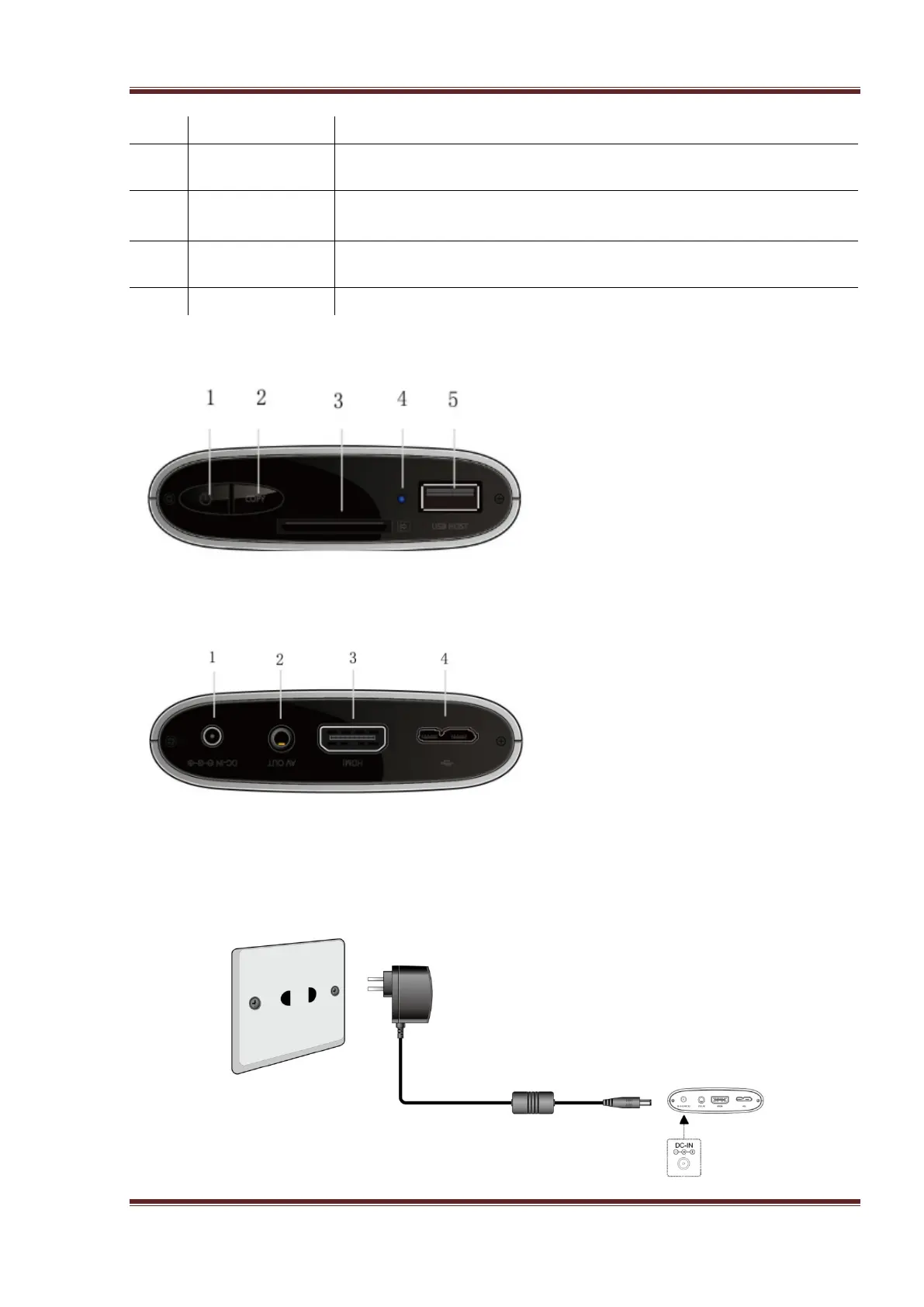
2.2 Front Panel
1. POWER button
2. Copy button
3. Memory Card slot
4. Status indicator
5. USB HOST port
2.3 Back Panel
1. DC-IN jack
2. A/V OUT jack
3. HDMI connector
4. USB3.0 DEVICE port
2.4 Connection
2.4.1 Power connection
The player’s power voltage: DC 5V.



 To Next Page