iconBIT XD290HDMI User Manual
6
2. About the player
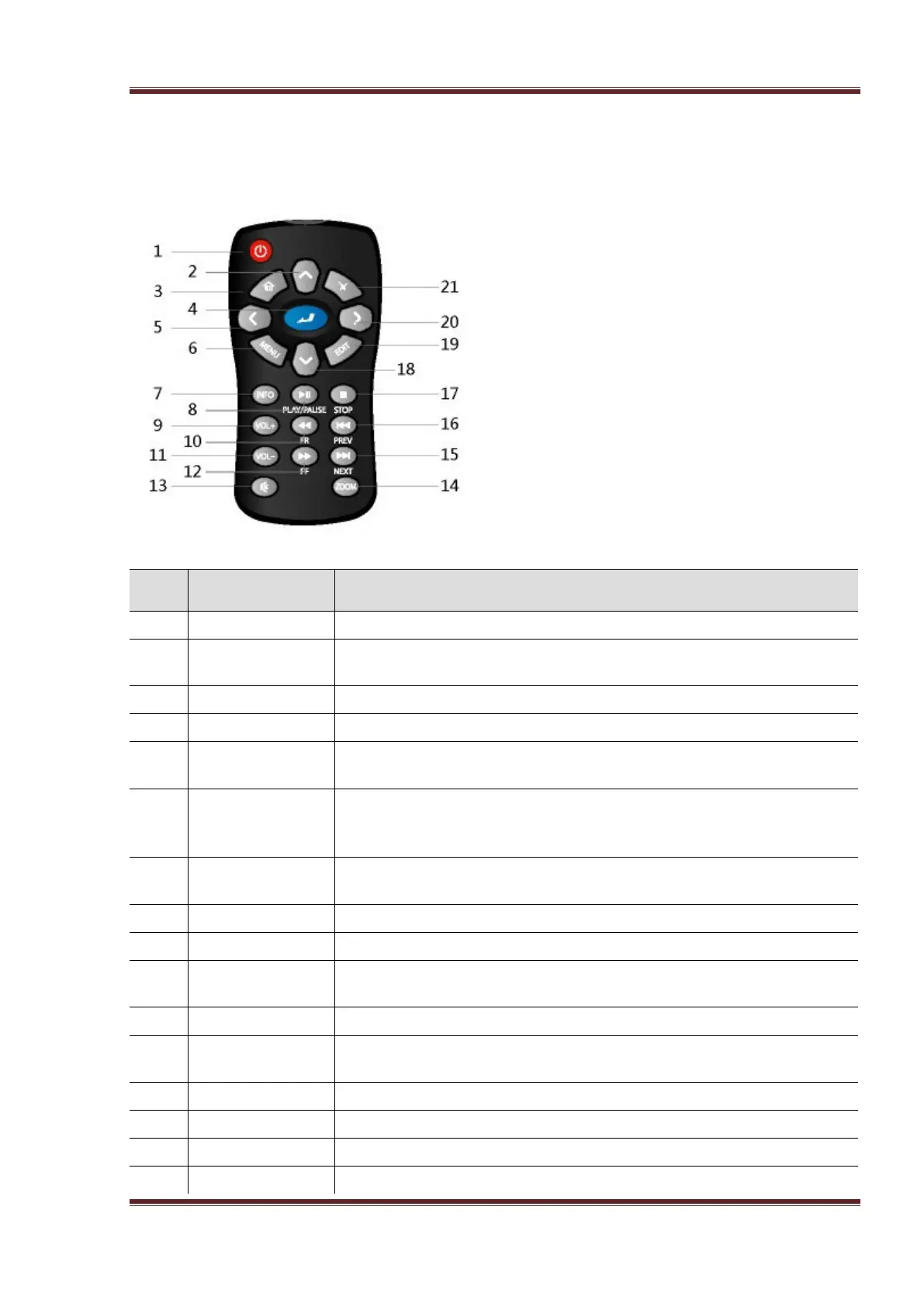
2.1 Remote Control
No. Button Function
Press to enter standby mode or wake up.
2 Up Navigational button. Press the arrow buttons to select menu
Press to enter the home screen.
Press OK button to confirm.
5 LEFT Navigational button. Press the arrow buttons to select menu
6 Menu Press to enable the option menu, where you can change the
review mode of file manager and media library;
Press to display or hide the option menu during playback.
7 Info
Press during playback, an onscreen display appears showing track
number and time elapsed/remaining.
Press to begin/pause playback.
Press to increase the volume.
10 FR Press to fast rewind the current playback. Press repeatedly to
Press to decrease the volume.
12 FF Press to fast forward the current playback. Press repeatedly to
Press to mute audio output, and press again to resume.
Press to zoom the image (photo or video).
Press to view the next file / page down.
Press to view the previous file / page up.



 To Next Page