iconBIT XD290HDMI User Manual
8
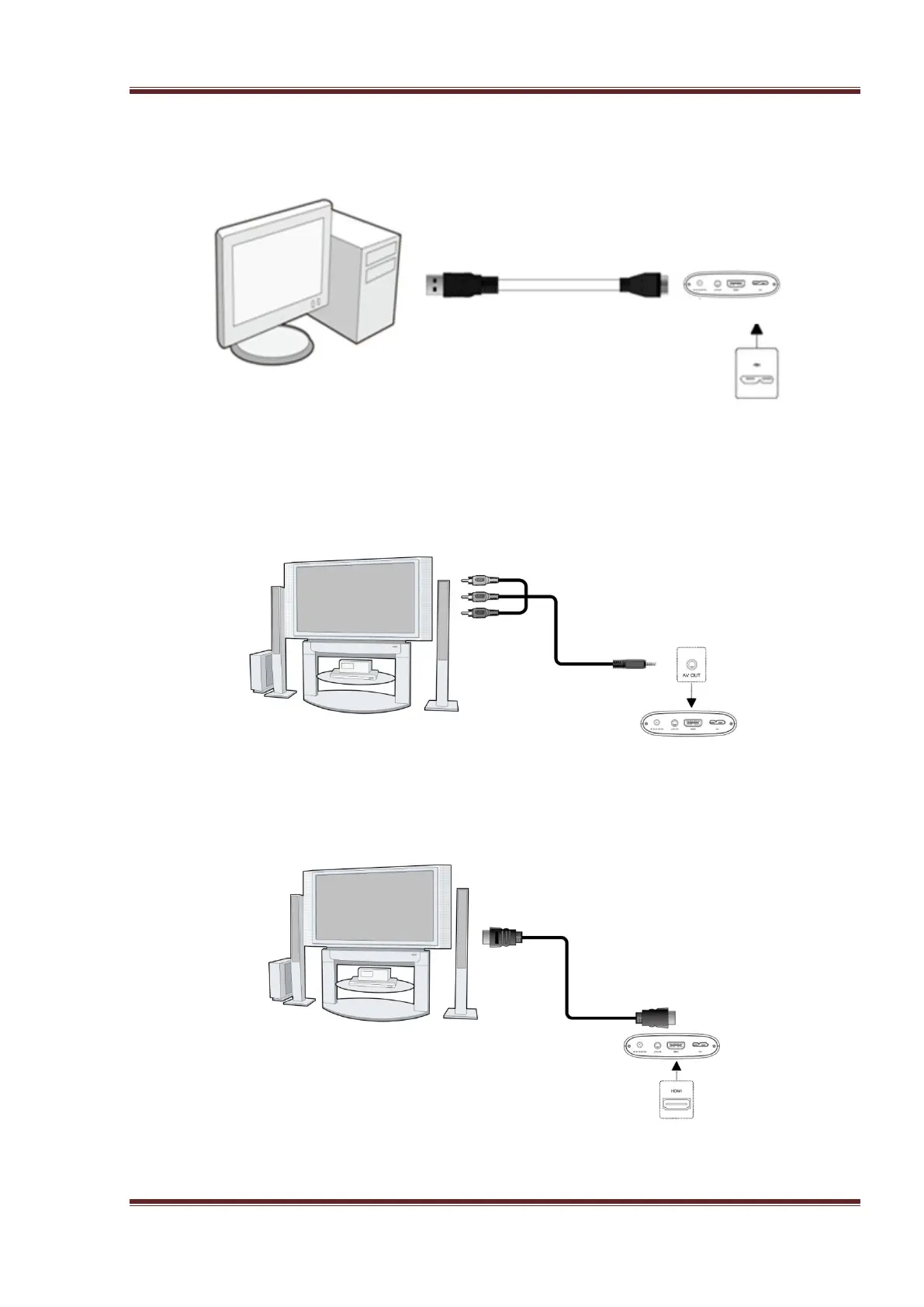
2.4.2 Connect to Computer
(1) Plug in the connector of the USB 3.0 cable to this player’s USB DEVICE port;
(2) Plug in the rectangular connector of the USB 3.0 cable to computer.
Conect the player to the USB3.0 port of the PC, You can get faster transmission speed.
2.4.3 TV connection
2.4.3.1 A/V OUT
(1) Follow the picture and plug in the A/V connector to the player’s A/V OUT jack;
(2) Follow the picture and plug in the 3 color connector to the TV’s A/V IN jack.
2.4.3.2 HDMI OUT
(1) Follow the picture and plug one connector on your HDMI cable to the player’s HDMI
connector;
(2) Follow the picture and plug the other connector on your HDMI cable to the TV’s HDMI
connector.
HDMI cable is not included.



 To Next Page