iconBIT XDS73D mk2 User Manual English
3.7.3. Screen Size setting
Enter into Setup Video Screen Size menu, adjust the UI size of Android according to
the size of TV screen.
Notice:
All APK will be removed after upgrade though press U button. To keep installed apk, please
upgrade firmware though Setup
Misc
USB Upgrade menu.
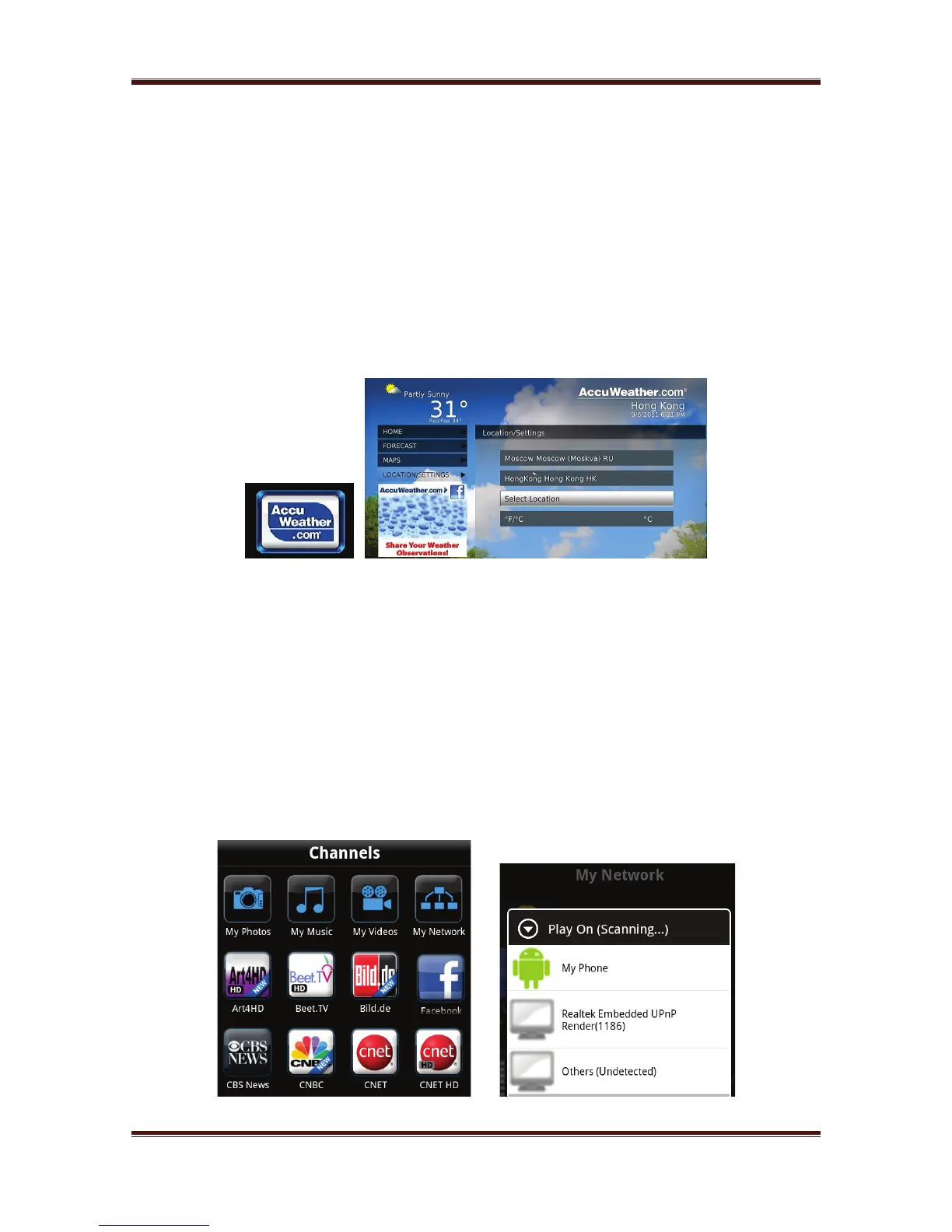
3.8. Weather in Home menu
To display weather of the city on home menu,
Step 1, Enter into SetupNetwork menu, connect your player to internet.
Step 2, Enter into Internet Media select Accu Weather Locations/Settings, select
the city as you wish.
3.9. DLNA DMR
This player can work as a Digital Media Renderer. It can play content received from a
digital media controller (DMC), which will find content from a digital media server
(DMS). With it, you can seamless stream multimedia on your large-screen TV.
Step 1, Enter into Setup System menu, turn on DLNA DMR.
Step 2, Install a digital media controller on your iPhone/iPod/iPad or Android phone. And
connect your phone to the same network with the player. There are several DMC
applications are available, for instance, iMediaShare.
Step 3, Run iMediaShareselect the media stored on your phone or other Upnp server
even media from internet select a digital media renderer,and then you can watch the
media on your TV. Except the media stored on your phone, you also can select media form
internet, like Picasa, Facebook, YouTube.



 To Next Page