Adjusting output levels using the Audio Mixer:
- Launch iConfig. (If you have additional iConnectivity interfaces connected, select the
iConnectAUDIO2
+
in the Device Selection dialog.)
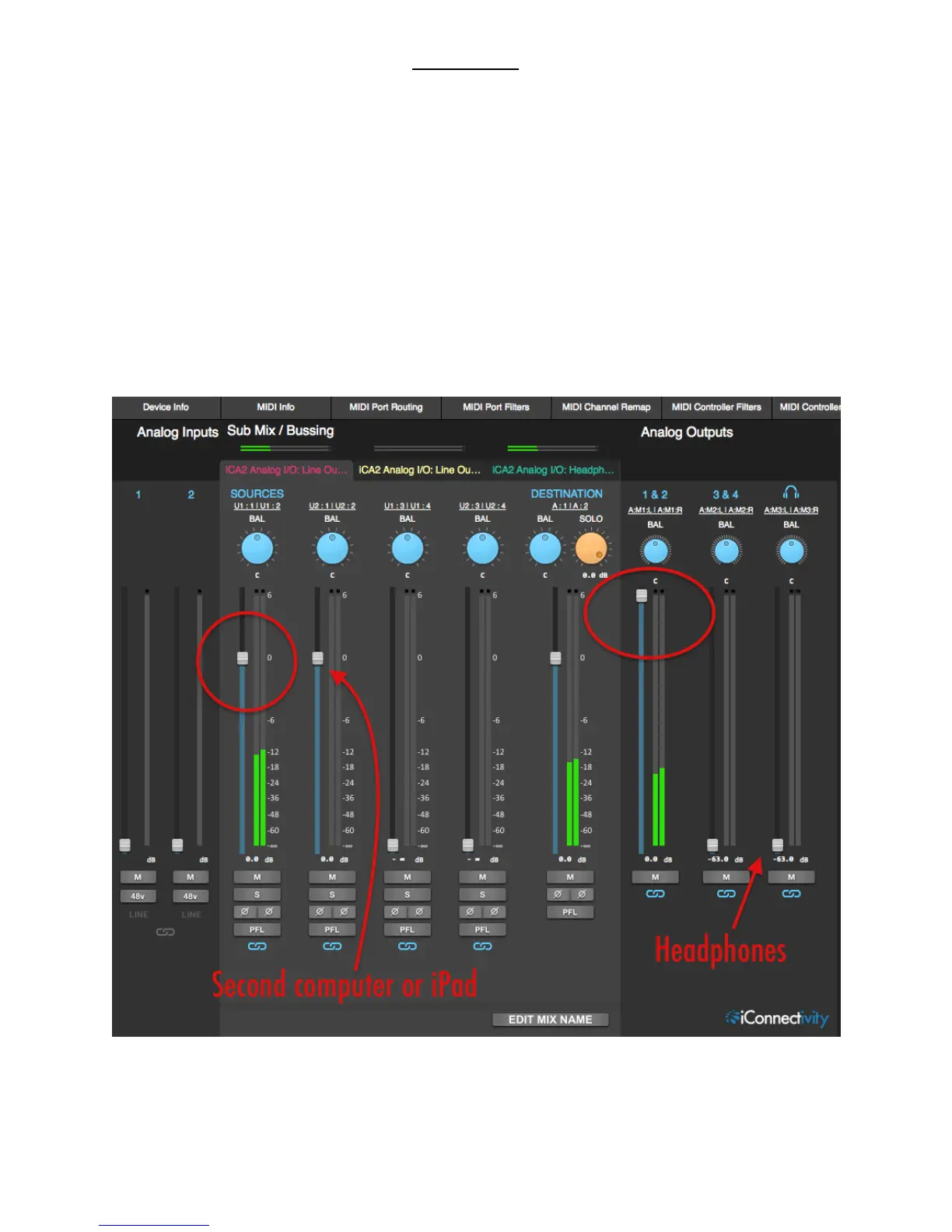
- Select the Audio Mixer tab. Mix A, the first of the available mixes in the Sub
Mix/Bussing section, should already be selected.
- Bring up the two stereo faders as shown below (the SOURCE one is probably raised
already). The Analog Output 1&2 fader is your monitor volume control.
You can also bring up the headphones here. In the default setup they carry the same
signal as analog outs 1&2, but they have their own Sub Mix on the third Audio Mixer
tab.


 To Next Page